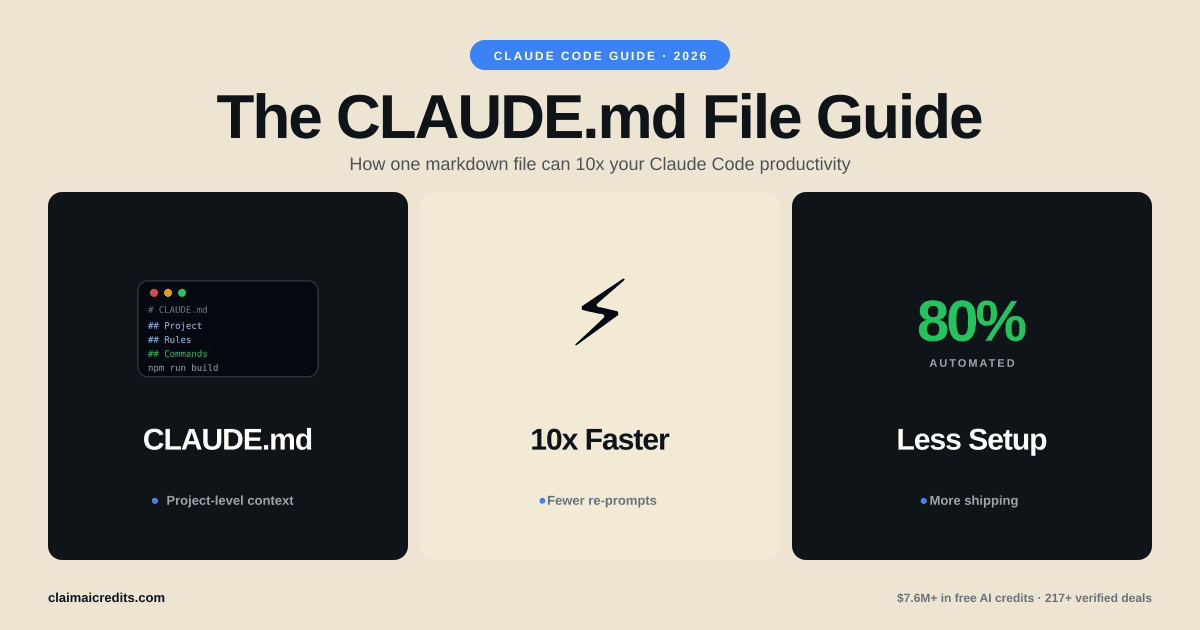
الدليل الشامل لملف CLAUDE.md: كيف تضاعف إنتاجيتك في Claude Code عشر مرات
أتقن ملف الإعدادات CLAUDE.md الخاص بـ Claude Code. قوالب وأفضل الممارسات والـ hooks وأوامر الشرطة المائلة وإعداد الـ 27 وكيلاً الذي انتشر بسرعة.
ما هو ملف CLAUDE.md ولماذا هو مهم
إذا كنت تستخدم Claude Code دون ملف CLAUDE.md، فأنت تترك معظم قوته معطلة.
CLAUDE.md هو ملف إعدادات Markdown يقرأه Claude Code تلقائياً في بداية كل جلسة. يخبر Claude عن بنية مشروعك ومعايير البرمجة والأدوات المفضلة وأنماط الاختبار وقواعد سير العمل. بدلاً من تكرار التعليمات نفسها في كل محادثة، تكتبها مرة واحدة ويتبعها Claude في كل مرة.
اعتبر الأمر مثل الفرق بين توظيف مقاول لا يعرف شيئاً عن شركتك مقابل آخر قرأ دليل الهندسة الكامل لديك. ملف CLAUDE.md هو هذا الدليل.
ملف CLAUDE.md المُحكم الإعداد يمكنه تقليل وقت التوجيه بنسبة 60-80%. يزيل الحاجة إلى ضبط السياق المتكرر، ويفرض جودة كود متسقة، ويتيح سير عمل متقدمة مثل الأتمتة متعددة الوكلاء. يغطي هذا الدليل كل شيء من الإعداد الأساسي إلى تكوين الـ 27 وكيلاً الذي انتشر على Twitter.
لماذا يتفوق CLAUDE.md على التوجيه المتكرر
| النهج | الرموز لكل جلسة | الاتساق | الصيانة |
|---|---|---|---|
| التوجيه اليدوي | 500-2,000 لكل محادثة | منخفض — يتغير بحسب المزاج | لا يوجد |
| قوالب الحافظة | 300-1,000 لكل لصق | متوسط — سهل النسيان | يدوي |
| ملف CLAUDE.md | 0 (يُحمَّل تلقائياً) | عالٍ — يُطبَّق دائماً | متحكَّم به بالإصدارات |
| CLAUDE.md + hooks + أوامر | 0 (يُحمَّل تلقائياً) | عالٍ جداً — مفروض | متتبَّع عبر Git |
توفير الرموز وحده مهم. إذا أنفقت 500 رمز على ضبط السياق لكل محادثة وأجريت 20 محادثة يومياً، فهذا يعادل 10,000 رمز يومياً — أي ما يقارب 0.15-0.75 دولار يومياً حسب النموذج. على مدار شهر، يوفر ملف CLAUDE.md ما بين 4.50 و22.50 دولار في تكاليف API الأولية مع إنتاج نتائج أفضل.
رصيد Anthropic | رصيد AWS | رصيد Google Cloud
كيف يقرأ Claude Code ملفات CLAUDE.md
يبحث Claude Code عن ملفات CLAUDE.md بترتيب أولوية محدد. فهم هذا التسلسل الهرمي ضروري لتنظيم تعليماتك بفعالية.
ترتيب تحميل الملفات
| الأولوية | الموقع | النطاق | حالة الاستخدام |
|---|---|---|---|
| 1 (الأدنى) | ~/.claude/CLAUDE.md | عام — جميع المشاريع | تفضيلات شخصية، نمط برمجة عام |
| 2 | جذر المشروع CLAUDE.md | على مستوى المشروع | البنية، حزمة التقنيات، قواعد المشروع |
| 3 | مجلد فرعي CLAUDE.md | خاص بالمجلد | اصطلاحات خاصة بالوحدة |
| 4 (الأعلى) | .claude/settings.json | إعدادات المشروع | hooks، الأذونات، خوادم MCP |
يدمج Claude Code جميع الملفات المعمول بها. إذا قال ملفك العام "استخدم مسافة بادئة بمسافتين" لكن ملف المشروع قال "استخدم علامات تبويب بأربع مسافات،" يفوز ملف المشروع لذلك المشروع.
ما الذي يذهب أين
CLAUDE.md العام (~/.claude/CLAUDE.md) — تفضيلات تنطبق في كل مكان:
# Global Preferences
- Always use TypeScript over JavaScript when possible
- Prefer functional components over class components in React
- Write concise commit messages under 72 characters
- Use ESM imports, never CommonJS require()
CLAUDE.md للمشروع (جذر المشروع) — كل شيء خاص بهذه القاعدة الكودية:
# Project: Acme Dashboard
## Tech Stack
- Next.js 15 with App Router
- TypeScript 5.x strict mode
- Tailwind CSS 4.0
- Prisma ORM with PostgreSQL
- Jest + React Testing Library for tests

## Architecture
- /app — Next.js routes (App Router only, no Pages Router)
- /components — reusable UI components
- /lib — business logic and utilities
- /prisma — database schema and migrations
إنشاء أول ملف CLAUDE.md
إليك إعدادات خطوة بخطوة للبدء مع Claude Code وملف CLAUDE.md معد بشكل صحيح.
الخطوة 1: تثبيت Claude Code
npm install -g @anthropic-ai/claude-code
الخطوة 2: إنشاء CLAUDE.md في جذر مشروعك
touch CLAUDE.md
الخطوة 3: إضافة إعدادات أساسية
ابدأ بهذا القالب البسيط ووسّعه حسب الحاجة:
# Project: [Your Project Name]

## Tech Stack
- [Language/Framework]
- [Database]
- [Key libraries]

## Coding Standards
- [Indentation preference]
- [Naming conventions]
- [Import ordering]

## Rules
- Always write tests for new functions
- Never commit directly to main
- Use conventional commit messages
الخطوة 4: تشغيل Claude Code
claude
يكتشف Claude Code تلقائياً ويحمّل ملف CLAUDE.md الخاص بك. سترى تأكيداً في مخرجات الجلسة.
 ClaimAICredits
احصل على رصيد Claude API مجاناً
احصل على 25,000+ دولار في رصيد Anthropic من خلال برامج الشركات الناشئة. تنسق ClaimAICredits 217+ برنامج رصيد موثَّق.
استكشف الرصيد
قوالب CLAUDE.md: مبتدئ ومتقدم وللفرق
القالب 1: مشروع بسيط (20 سطراً)
الأفضل للمطورين الفرديين والمشاريع الجانبية وقواعد الكود الصغيرة.
# My App

## Stack
- Python 3.12, FastAPI, SQLAlchemy, PostgreSQL
- pytest for testing

## Rules
- Use type hints on all function signatures
- Write docstrings for public functions
- Keep functions under 30 lines
- Use async/await for all database operations
- Format with black, lint with ruff

## Patterns
- Repository pattern for data access
- Pydantic models for request/response validation
- Dependency injection via FastAPI Depends()
القالب 2: مشروع متقدم متكامل المكدس (80+ سطراً)
لتطبيقات الإنتاج مع عدة مطورين وبنية معقدة.
# Acme SaaS Platform

## Tech Stack
- Frontend: Next.js 15, TypeScript 5.x, Tailwind CSS 4.0
- Backend: Node.js 22, tRPC, Prisma ORM
- Database: PostgreSQL 16, Redis 7
- Infrastructure: Vercel (frontend), Railway (backend)
- Testing: Vitest, Playwright, MSW

## Architecture
All code follows Clean Architecture principles:
- /packages/web — Next.js frontend (App Router only)
- /packages/api — tRPC backend
- /packages/shared — shared types and utilities
- /packages/db — Prisma schema and client

## Coding Standards
- Strict TypeScript: no any, no ts-ignore
- All components must be functional with hooks
- Server Components by default, "use client" only when needed
- All API routes must have Zod input validation
- Database queries go through repository layer, never raw SQL

## Testing Requirements
- Minimum 80% coverage for new code
- Unit tests for all business logic
- Integration tests for API endpoints
- E2E tests for critical user flows
- Use MSW for API mocking, never mock fetch directly

## Git Workflow
- Conventional commits: feat:, fix:, chore:, docs:
- All PRs require passing CI before merge
- Squash merge to main
- Branch naming: feature/TICKET-123-description

## Security Rules
- NEVER hardcode secrets or API keys
- Always use environment variables for config
- Sanitize all user input
- Use parameterized queries (Prisma handles this)
- NEVER expose internal error details to clients
القالب 3: إعدادات الفريق (مشترك عبر Git)
للفرق التي تريد سلوك Claude Code متسقاً عبر جميع الأعضاء.
# Team Engineering Standards — Acme Corp

## Overview
This file ensures Claude Code follows our team's engineering
standards. Committed to Git so all engineers get identical behavior.

## Code Review Checklist (Claude must follow before suggesting code)
1. Does this change have tests?
2. Are error cases handled?
3. Is the function documented?
4. Does it follow our naming conventions?
5. Are there any security implications?

## Naming Conventions
- Components: PascalCase (UserProfile.tsx)
- Hooks: camelCase with use prefix (useAuth.ts)
- Utils: camelCase (formatDate.ts)
- Constants: SCREAMING_SNAKE (MAX_RETRIES)
- Database tables: snake_case (user_profiles)
- API routes: kebab-case (/api/user-settings)

## Forbidden Patterns
- DO NOT use console.log in production code (use our logger)
- DO NOT use any TypeScript escape hatches (any, @ts-ignore)
- DO NOT install new dependencies without justification
- DO NOT modify database schema without migration file
- DO NOT use default exports (use named exports only)

## Preferred Libraries (do not suggest alternatives)
- State management: Zustand (not Redux)
- Forms: React Hook Form + Zod (not Formik)
- HTTP client: native fetch (not Axios)
- Date handling: date-fns (not Moment.js)
- Animation: Framer Motion (not React Spring)
مقارنة: CLAUDE.md مقابل .cursorrules مقابل .github/copilot-instructions.md
إذا كنت تقيّم أدوات البرمجة بالذكاء الاصطناعي، فإن فهم كيفية تعامل كل منها مع الإعدادات أمر بالغ الأهمية.
| الميزة | CLAUDE.md (Claude Code) | .cursorrules (Cursor) | copilot-instructions.md (GitHub Copilot) |
|---|---|---|---|
| التحميل التلقائي | نعم، هرمي | نعم، جذر المشروع | نعم، جذر المستودع |
| النطاق العام + المشروع | نعم (المنزل + المشروع) | المشروع فقط | المؤسسة + المستودع |
| Hooks/الأتمتة | نعم (settings.json) | محدود | لا |
| أوامر الشرطة المائلة المخصصة | نعم (.claude/commands/) | لا | لا |
| تكامل خوادم MCP | نعم (100+ أداة) | لا | محدود (عبر الإضافات) |
| سير عمل متعدد الوكلاء | نعم | لا | لا |
| المشاركة مع الفريق عبر Git | نعم | نعم | نعم |
| الحد الأقصى لحجم السياق | كبير جداً (المشروع الكامل) | ~6,000 رمز | محدود |
| التكلفة | يتطلب رصيد API | اشتراك 20 دولار/شهر | اشتراك 10-19 دولار/شهر |
ما يميز Claude Code هو النظام البيئي حول CLAUDE.md — hooks والأوامر المخصصة وخوادم MCP ودعم الوكلاء المتعددين تحوّله من ملف إعدادات إلى إطار أتمتة كامل.
Hooks: أتمتة سير عمل Claude Code
يتم إعداد hooks في .claude/settings.json، وليس في CLAUDE.md نفسه. تقوم بتشغيل أوامر shell تلقائياً قبل أو بعد أحداث Claude Code.
هيكل إعدادات Hook
{
  "hooks": {
    "PreToolUse": [
      {
        "matcher": "Edit|Write",
        "command": "echo 'File about to be modified'"
      }
    ],
    "PostToolUse": [
      {
        "matcher": "Edit|Write",
        "command": "npx eslint --fix $CLAUDE_FILE_PATH"
      }
    ],
    "PreCommit": [
      {
        "command": "npm run lint && npm run test:changed"
      }
    ]
  }
}
أكثر أنماط Hook فائدة
| حدث Hook | التحفيز | مثال على حالة الاستخدام |
|---|---|---|
| PreToolUse | قبل أن يعدّل Claude/يكتب ملفاً | التحقق من مسارات الملفات والأذونات |
| PostToolUse | بعد أن يعدّل Claude/يكتب ملفاً | التنسيق التلقائي، linter، اختبارات ذات صلة |
| PreCommit | قبل أن يقوم Claude بإيداع الكود | تشغيل لينت + مجموعة اختبارات كاملة |
| PostCommit | بعد أن يقوم Claude بإيداع الكود | تشغيل CI، إخطار الفريق |
| SessionStart | عند بدء جلسة Claude Code | سحب آخر التغييرات، فحص إعداد env |
أمثلة hooks عملية
تنسيق تلقائي بعد كل تعديل للملف:
{
  "hooks": {
    "PostToolUse": [
      {
        "matcher": "Edit|Write",
        "command": "npx prettier --write $CLAUDE_FILE_PATH"
      }
    ]
  }
}
تشغيل الاختبارات للملفات المتغيرة:
{
  "hooks": {
    "PostToolUse": [
      {
        "matcher": "Edit",
        "command": "npx vitest run --reporter=verbose --changed"
      }
    ]
  }
}
أوامر الشرطة المائلة المخصصة
تتيح لك أوامر الشرطة المائلة إنشاء قوالب موجّهات قابلة لإعادة الاستخدام تنطلق بأمر / واحد.
كيفية إنشاء أوامر الشرطة المائلة
- أنشئ مجلد
.claude/commands/في مشروعك - أضف ملفات Markdown — يصبح كل ملف أمراً
- استخدم
$ARGUMENTSكعنصر نائب للإدخال الديناميكي
مثال: .claude/commands/review.md
Review the following code for:
1. Security vulnerabilities
2. Performance issues
3. Missing error handling
4. Test coverage gaps

Code to review: $ARGUMENTS

Provide a severity rating (low/medium/high/critical) for each finding.
الاستخدام في Claude Code:
/project:review src/auth/login.ts
أفكار مفيدة لأوامر الشرطة المائلة
| ملف الأمر | أمر الشرطة المائلة | الغرض |
|---|---|---|
review.md | /project:review | مراجعة الأمان + الجودة |
refactor.md | /project:refactor | إعادة هيكلة مع أفضل الممارسات |
test.md | /project:test | إنشاء اختبارات شاملة |
docs.md | /project:docs | إنشاء توثيق |
migrate.md | /project:migrate | مساعد ترحيل قاعدة البيانات |
debug.md | /project:debug | سير عمل تصحيح منهجي |
deploy-check.md | /project:deploy-check | التحقق قبل النشر |
ClaimAICreditsوفّر في تكاليف تطوير الذكاء الاصطناعي
ادمج الرصيد من Anthropic وAWS وGoogle Cloud و200+ منصة أخرى.
تصفّح جميع المزاياخوادم MCP: توسيع قدرات Claude Code
تربط خوادم MCP (Model Context Protocol) Claude Code بالأدوات والخدمات الخارجية. عند إعدادها بشكل صحيح، يمكن لـ Claude Code الاستعلام عن قواعد البيانات وتصفح الويب وإدارة الملفات والتفاعل مع GitHub وغير ذلك بكثير — كل ذلك من داخل جلسة البرمجة الخاصة بك.
كيفية إعداد خوادم MCP
يتم إعداد خوادم MCP في .claude/settings.json:
{
  "mcpServers": {
    "postgres": {
      "command": "npx",
      "args": ["-y", "@modelcontextprotocol/server-postgres",
               "postgresql://localhost:5432/mydb"]
    },
    "github": {
      "command": "npx",
      "args": ["-y", "@modelcontextprotocol/server-github"]
    },
    "filesystem": {
      "command": "npx",
      "args": ["-y", "@modelcontextprotocol/server-filesystem", "/path/to/dir"]
    }
  }
}
أكثر خوادم MCP شيوعاً للمطورين
| خادم MCP | ما يفعله | متى يُستخدم |
|---|---|---|
| postgres | الاستعلام عن قواعد بيانات PostgreSQL وتعديلها | تصحيح قاعدة البيانات، استكشاف المخطط |
| github | إدارة المستودعات والـ PRs والمشكلات | مراجعات PR، فرز المشكلات |
| filesystem | قراءة/كتابة الملفات خارج المشروع | عمليات ملفات عبر المشاريع |
| puppeteer | أتمتة المتصفح | الاختبار، الكشط، لقطات الشاشة |
| memory | تخزين قيمة-مفتاح دائم | سياق طويل الأمد عبر الجلسات |
| slack | إرسال/قراءة رسائل Slack | إخطارات الفريق، تحديثات الحالة |
| linear | إدارة مشكلات Linear | تتبع المهام، إدارة sprint |
الإشارة إلى MCP في CLAUDE.md
يمكن لـ CLAUDE.md توجيه Claude Code متى وكيف يستخدم خوادم MCP المتصلة:
## Available Tools
- Use the postgres MCP to check schema before writing migrations
- Use the github MCP to create PRs after completing feature branches
- Use the memory MCP to track progress on multi-step tasks
إعداد الـ 27 وكيلاً المنتشر: كيف قام مهندس Google بأتمتة 80% من عمله
في أوائل 2026، انتشرت تغريدة لمهندس في Google بسرعة وهو يصف كيف أعدّ 27 وكيل Claude Code متخصصاً للتعامل مع أجزاء مختلفة من سير عمله. كان لكل وكيل ملف CLAUDE.md خاص به مع تعليمات ضيقة ومركزة.
الفكرة الجوهرية
بدلاً من جلسة Claude Code واحدة عامة تحاول القيام بكل شيء، قام بتفكيك عمله إلى أدوار متخصصة. كان لكل وكيل:
- ملف CLAUDE.md مخصص مع معرفة خاصة بالمجال
- وصول مقيد للأدوات (فقط ما يحتاجه ذلك الوكيل)
- حدود واضحة حول ما يجب وما لا يجب أن يلمسه
- تنسيقات إخراج محددة ومعايير جودة
مثال على تقسيم الوكلاء
| دور الوكيل | تركيز CLAUDE.md | الأدوات المسموح بها |
|---|---|---|
| وكيل الواجهة الأمامية | React وCSS ومعايير إمكانية الوصول | Edit، Write، Browser |
| وكيل الواجهة الخلفية | تصميم API، أنماط قواعد البيانات، الأمان | Edit، Write، Postgres MCP |
| وكيل الاختبار | فلسفة الاختبار، متطلبات التغطية | Edit، Write، Bash (مشغّل الاختبار) |
| وكيل التوثيق | معايير التوثيق، تنسيق توثيق API | Edit، Write |
| وكيل DevOps | إعدادات CI/CD وDocker وKubernetes | Edit، Write، Bash |
| وكيل المراجعة | قائمة فحص مراجعة الكود، تدقيق الأمان | للقراءة فقط، GitHub MCP |
| وكيل الترحيل | قواعد ترحيل قاعدة البيانات، خطط التراجع | Edit، Write، Postgres MCP |
| وكيل الأداء | معايير الأداء، تحليل الحزمة | Read، Bash، Browser |
كيفية تكرار هذا الإعداد
لا تحتاج إلى 27 وكيلاً للاستفادة من هذا النمط. ابدأ بـ 3-5 إعدادات متخصصة:
1. أنشئ ملفات CLAUDE.md منفصلة لكل دور:
.claude/agents/frontend.md
.claude/agents/backend.md
.claude/agents/testing.md
2. شغّل Claude Code بإعدادات محددة:
# Use different profiles by combining global + agent-specific context
claude --profile frontend
3. حدد نقاط تسليم واضحة:
يمكن أن يشير CLAUDE.md الأساسي إلى متى يتم التبديل بين الوكلاء:
## Agent Workflow
- Frontend changes: use the frontend agent profile
- API changes: use the backend agent profile
- After any code change: run the test agent
- Before merging: run the review agent
لماذا ينجح هذا
ينجح نهج الـ 27 وكيلاً بسبب مبدأ أساسي في إنتاجية الذكاء الاصطناعي: السياق الضيق ينتج إخراجاً أفضل من السياق الواسع. ستؤدي جلسة Claude Code محمّلة بـ 400 سطر من التعليمات حول الواجهة الأمامية والخلفية وDevOps والاختبار والتوثيق أداءً أسوأ على أي مهمة واحدة من جلسة محمّلة بـ 50 سطراً ذات صلة عالية.
أخطاء CLAUDE.md الشائعة (وكيفية إصلاحها)
الخطأ 1: أن تكون غامضاً جداً
سيء:
Write good code that follows best practices.
جيد:
- Use TypeScript strict mode, no implicit any
- All functions must have JSDoc comments
- Error handling: wrap async operations in try/catch
- Max function length: 30 lines
الخطأ 2: الإفراط في التحميل بالتعليمات
وضع 500+ سطر من التعليمات يجعل Claude Code يقلل من أولوية القواعد المهمة. اجعل CLAUDE.md مركّزاً.
| حجم CLAUDE.md | تأثير الأداء |
|---|---|
| 20-50 سطراً | الأمثل لمعظم المشاريع |
| 50-150 سطراً | جيد للمشاريع المعقدة |
| 150-300 سطراً | مقبول مع تنظيم واضح |
| 300+ سطراً | عوائد متناقصة — فكّر في التقسيم |
الخطأ 3: عدم التحكم في إصدار CLAUDE.md
يجب إيداع CLAUDE.md في Git. يضمن ذلك:
- اتساق الفريق
- سجل التغييرات والمساءلة
- التراجع السهل إذا تسببت التعليمات في مشاكل
- مراجعات PR لتغييرات التعليمات
الخطأ 4: تجاهل قسم الأمان
اشمل دائماً قواعد الأمان في CLAUDE.md:
## Security (CRITICAL — never ignore)
- NEVER hardcode API keys, tokens, or passwords
- NEVER commit .env files
- ALWAYS use parameterized database queries
- ALWAYS validate and sanitize user input
- NEVER expose stack traces or internal errors to users
الخطأ 5: نسيان ذكر حزمة التقنيات
يمكن لـ Claude Code استنتاج حزمتك من الكود، لكن التصريحات الصريحة تمنع الافتراضات الخاطئة:
## Stack (authoritative — do not infer differently)
- Runtime: Node.js 22 (NOT Deno, NOT Bun)
- Framework: Next.js 15 App Router (NOT Pages Router)
- ORM: Prisma (NOT Drizzle, NOT TypeORM)
- Package manager: pnpm (NOT npm, NOT yarn)
أفضل ممارسات Claude Code: نصائح المستخدم المتقدم
النصيحة 1: استخدم تعليمات شرطية
## Environment-Specific Rules
- In development: use verbose logging, skip minification
- In production: no console.log, enable all optimizations
- In CI: run full test suite, fail on any warning
النصيحة 2: حدد تنسيقات الإخراج
## When I ask for a code review, respond with:
1. **Summary** (1-2 sentences)
2. **Issues found** (bulleted, severity-tagged)
3. **Suggested fixes** (with code snippets)
4. **Overall grade** (A/B/C/D/F)
النصيحة 3: ضع حدوداً للتبعيات
## Dependency Rules
- NEVER install packages with fewer than 1,000 weekly downloads
- NEVER install packages with known CVEs
- Prefer built-in Node.js APIs over third-party packages
- Always check bundle size impact before adding frontend deps
النصيحة 4: استخدم ملفات الذاكرة للمشاريع الطويلة
## Memory
- Track all completed features in .claude/memory/features.md
- Log all architecture decisions in .claude/memory/decisions.md
- Update progress after each session
النصيحة 5: تكامل مع CI/CD لديك
يمكن لـ CLAUDE.md توجيه Claude Code لاحترام خط أنابيب CI لديك:
## Before pushing any code:
1. Run `pnpm lint` — fix all errors
2. Run `pnpm test` — all tests must pass
3. Run `pnpm build` — build must succeed
4. Check bundle size — must not exceed 250KB
كم تكلفة Claude Code؟ (وكيفية الحصول على رصيد)
يستخدم Claude Code رصيد API، مما يعني أن تكاليفك تعتمد على النموذج الذي تستخدمه ومقدار السياق الذي تغذيه به.
تفصيل تكلفة Claude Code
| النموذج | تكلفة الإدخال (لكل 1M رمز) | تكلفة الإخراج (لكل 1M رمز) | الأفضل لـ |
|---|---|---|---|
| Haiku 4.5 | $0.80 | $4.00 | تعديلات سريعة، مهام بسيطة |
| Sonnet 4.5 | $3.00 | $15.00 | معظم مهام البرمجة |
| Opus 4.6 | $15.00 | $75.00 | بنية معقدة، إعادة هيكلة متعددة الملفات |
يستخدم يوم نموذجي ثقيل من Claude Code 500K-2M رمز، بتكلفة 2-30 دولاراً حسب اختيار النموذج. يقلل ملف CLAUDE.md المعد جيداً من استخدام الرموز بإزالة السياق المتكرر.
الحصول على رصيد مجاني لـ Claude Code
أفضل طريقة لتمويل استخدام Claude Code هي من خلال برامج الرصيد:
| البرنامج | الرصيد المتاح | الأهلية |
|---|---|---|
| الفئة المجانية لـ Anthropic | $5 | أي شخص |
| برنامج Anthropic للشركات الناشئة | $1,000 – $25,000 | شركات ناشئة في مراحل مبكرة |
| AWS Activate (Bedrock) | $1,000 – $100,000 | شركات ناشئة |
| Google Cloud للشركات الناشئة | $2,000 – $100,000 | شركات ناشئة |
| Microsoft للشركات الناشئة | $1,000 – $5,000 | شركات ناشئة |
إجمالي الرصيد القابل للتكديس: حتى 230,000+ دولار عبر جميع البرامج.
رصيد Anthropic | رصيد AWS | رصيد Google Cloud | رصيد Azure
يمنحك ملف CLAUDE.md واحد مع 5,000-25,000 دولار في رصيد الشركات الناشئة 3-6 أشهر من التطوير المكثف لـ Claude Code بتكلفة صفرية. تصفّح جميع برامج الرصيد المتاحة في ClaimAICredits لإيجاد ما تتأهل له.
مرجع سريع: ورقة الغش لـ CLAUDE.md
| ما تريد | أين تضعه | مثال |
|---|---|---|
| نمط برمجة عام | ~/.claude/CLAUDE.md | المسافات البادئة، اصطلاحات التسمية |
| بنية المشروع | جذر المشروع CLAUDE.md | حزمة التقنيات، هيكل المجلدات |
| التنسيق التلقائي | hooks في .claude/settings.json | Prettier عند الحفظ |
| أوامر مخصصة | .claude/commands/*.md | /project:review، /project:test |
| أدوات خارجية | خوادم MCP في .claude/settings.json | Postgres، GitHub، Slack |
| أذونات الأدوات | .claude/settings.json | السماح/الرفض لأدوات محددة |
| إعداد متعدد الوكلاء | ملفات تعريف CLAUDE.md متعددة | وكيل الواجهة الأمامية، وكيل الواجهة الخلفية |
ابدأ اليوم
ملف CLAUDE.md هو أعلى إعداد ذي رافعة يمكنك إعداده للتطوير المدعوم بالذكاء الاصطناعي. ابدأ بالقالب البسيط من هذا الدليل، أودعه في مستودعك، وكرّر بناءً على ما يعمل لسير عملك.
المهندسون الذين يحصلون على أعلى قيمة من Claude Code لا يكتبون موجّهات أفضل — إنهم يكتبون ملفات CLAUDE.md أفضل. يثبت إعداد الـ 27 وكيلاً المنتشر أن الإعدادات المدروسة تتفوق على التوجيه بالقوة الغاشمة في كل مرة.
إذا كانت تكاليف API الخاصة بـ Claude Code تمنعك من التجربة بإعدادات متقدمة مثل سير عمل متعدد الوكلاء، فاستكشف برامج الرصيد المجانية المتاحة من خلال ClaimAICredits. يمكن أن يمنحك تكديس الرصيد من Anthropic وAWS وGoogle Cloud أشهراً من وقت التطوير المجاني لإتقان إعدادات CLAUDE.md.
Frequently Asked Questions
CLAUDE.md هو ملف إعدادات بصيغة Markdown يقرأه Claude Code تلقائياً عند بدء الجلسة. يحدّد سياق المشروع ومعايير البرمجة والقواعد والتعليمات حتى يفهم Claude قاعدة الكود لديك دون الحاجة إلى إعادة التوجيه باستمرار. اعتبره بمثابة موجّه نظام لكامل سير العمل التطويري لديك.
ضع CLAUDE.md في جذر مجلد المشروع للحصول على تعليمات خاصة بالمشروع. أما للتفضيلات العامة التي تنطبق على جميع المشاريع، فأنشئ ملف CLAUDE.md في مجلدك الرئيسي (~/.claude/CLAUDE.md). يقرأ Claude Code كليهما — العام أولاً، ثم الخاص بالمشروع.
ملف CLAUDE.md مصمم خصيصاً لـ Claude Code (أداة البرمجة من Anthropic التي تعمل عبر سطر الأوامر)، بينما .cursorrules مخصص لـ Cursor IDE. يدعم CLAUDE.md ميزات أغنى مثل hooks وأوامر الشرطة المائلة وإعدادات خوادم MCP وسير عمل متعدد الوكلاء، وهي أمور لا يدعمها .cursorrules.
ابدأ بـ 20-50 سطراً للمشاريع البسيطة. أما قواعد الكود المؤسسية المعقدة فقد تحتاج 200-400 سطر تغطي البنية ومعايير الاختبار وقواعد النشر وإعدادات متعددة الوكلاء. اجعل التعليمات موجزة وقابلة للتنفيذ — يؤدي Claude Code بشكل أفضل مع قواعد واضحة ومحددة بدلاً من الأوصاف المطوّلة.
نعم. قم بإيداع CLAUDE.md في مستودع Git الخاص بك حتى يحصل كل عضو في الفريق على نفس سلوك Claude Code. يضمن ذلك اتساق نمط الكود وممارسات الاختبار والقرارات المعمارية عبر الفريق بأكمله. تعامل العديد من الفرق مع CLAUDE.md كوثيقة حية تتطور مع قاعدة الكود.
يعمل CLAUDE.md مع أي خطة Claude Code. ومع ذلك، فإن سير العمل المعقد متعدد الوكلاء وأنماط الاستخدام الكثيف الموصوفة في الإعدادات المتقدمة تتطلب قدراً كبيراً من رصيد API. يمكن لبرامج رصيد الشركات الناشئة من Anthropic وAWS وGoogle Cloud توفير 1,000 إلى 150,000+ دولار لدعم الاستخدام المكثف لـ Claude Code.
Hooks هي إجراءات تلقائية تعمل قبل أو بعد أحداث Claude Code مثل تعديل الملفات أو الالتزامات أو تنفيذ الأوامر. يتم إعدادها في .claude/settings.json، وليس في CLAUDE.md مباشرة. تشمل الـ hooks الشائعة تشغيل أدوات linter بعد حفظ الملفات وتنفيذ الاختبارات بعد تغييرات الكود وتنسيق الكود قبل الالتزامات.
انتشرت تغريدة لمهندس Google بسرعة وهو يصف إعداداً مكوّناً من 27 وكيلاً متخصصاً من Claude Code، لكل منها ملف CLAUDE.md خاص به. يتولى كل وكيل مجالاً محدداً — الواجهة الأمامية والخلفية والاختبار والتوثيق وDevOps — بتعليمات مخصصة وأدوات مسموح بها ومعايير برمجية. كانت الفكرة الرئيسية هي تفكيك العمل إلى أدوار وكلاء ضيقة ومحددة جيداً بدلاً من استخدام مساعد عام واحد.
نعم. أنشئ ملفات Markdown في مجلد .claude/commands/ داخل مشروعك. يصبح كل ملف أمر شرطة مائلة. مثلاً، .claude/commands/deploy.md يصبح الأمر /project:deploy. يعمل محتوى الملف كقالب موجّه، ويمكنك تضمين عناصر $ARGUMENTS كمتغيرات للإدخال الديناميكي.
تعمل خوادم MCP (Model Context Protocol) على توسيع قدرات Claude Code من خلال ربطه بأدوات خارجية مثل قواعد البيانات وواجهات API والمتصفحات وأنظمة الملفات. تقوم بإعداد خوادم MCP المسموح بها في .claude/settings.json والإشارة إلى قدراتها في تعليمات CLAUDE.md. يتيح ذلك لـ Claude Code التفاعل مع Postgres وGitHub وSlack ومئات الخدمات الأخرى مباشرة.
 ClaimAICredits
وفّر ميزانية شركتك الناشئة على أدوات الذكاء الاصطناعي
تتولى ClaimAICredits اختيار وإتاحة الوصول إلى رصيد وخصومات وعروض حصرية على أدوات الذكاء الاصطناعي والخدمات السحابية وواجهات API لمساعدة الشركات الناشئة على توفير المال.
- 217+ رصيد موثّق بقيمة $7.6M+
- أدلة تقديم خطوة بخطوة
- دعم ذو أولوية بردود خلال 24 ساعة
مقالات ذات صلة
Cursor مقابل Claude Code مقابل Codex 2026: المقارنة النهائية لأدوات البرمجة بالذكاء الاصطناعي
مقارنة متعمقة لأدوات البرمجة الثلاث المهيمنة بالذكاء الاصطناعي في 2026. تفاصيل الميزات والأسعار والمعايير وتجارب المطورين الحقيقية عبر Cursor وClaude Code وOpenAI Codex CLI.
Anthropic مقابل OpenAI في 2026: على أي شركة AI يجب أن تبني شركتك الناشئة؟
مقارنة عميقة بين Anthropic و OpenAI للشركات الناشئة في 2026. النماذج والأسعار وبرامج الرصيد وميزات API والأدوات المؤسسية والاستراتيجية الذكية للبناء على كليهما.
أفضل 10 بدائل لـ Claude Code في 2026: خيارات مجانية ومفتوحة المصدر
أفضل البدائل المجانية ومفتوحة المصدر لـ Claude Code في 2026. قارن Claw Code و OpenCode و Aider و Gemini CLI و Cursor والمزيد — مع الأسعار والميزات وكيفية الحصول على رصيد.