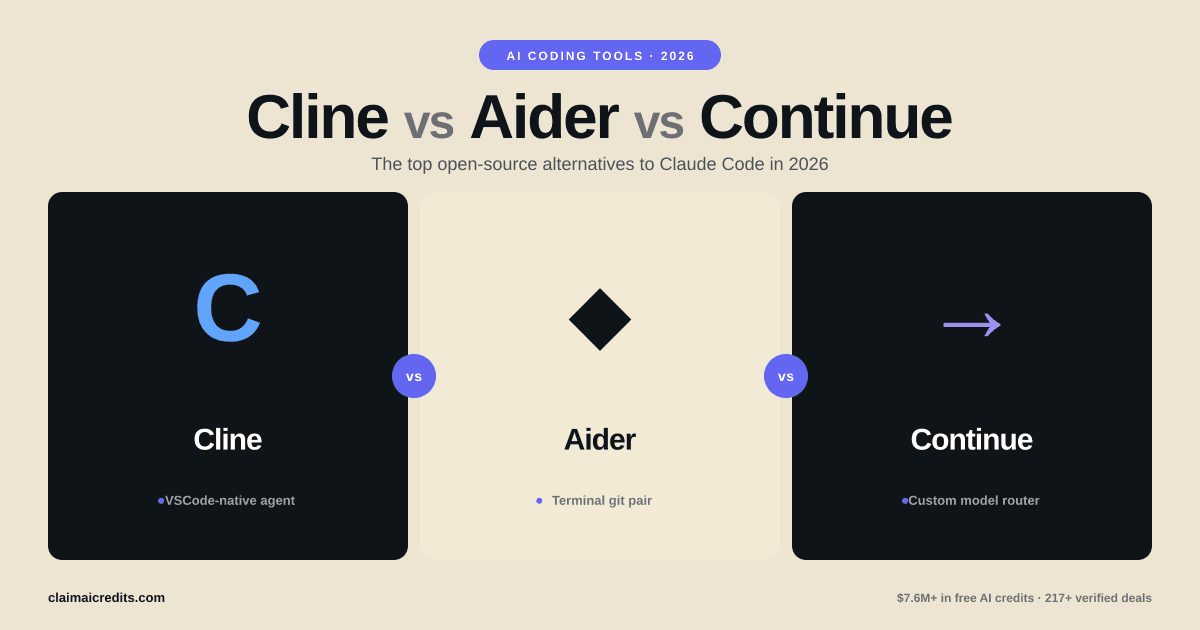
10 Best Claude Code Alternatives in 2026: Free & Open Source Options
The top free and open source alternatives to Claude Code in 2026. Compare Claw Code, OpenCode, Aider, Gemini CLI, Cursor, and more — with pricing, features, and how to get credits.
Why Developers Are Looking for Claude Code Alternatives
Claude Code changed AI-assisted development when it launched. A terminal-based coding agent that can read your entire codebase, make multi-file edits, run tests, and commit changes — all from your command line.
The problem: it costs $100-200/month for serious usage. At Claude Opus 4.6 API rates ($15/$75 per million tokens), a single day of heavy coding can burn $30-50. Most individual developers and small teams can't sustain that.
Then in early 2026, everything shifted. Claude Code's source leaked — 512,000 lines of code. Within days, Claw Code rebuilt the entire experience in Python and Rust, racking up 171K GitHub stars in a single week. Suddenly, the terminal AI coding agent wasn't locked behind Anthropic's pricing anymore.
Today, there are 10+ serious alternatives to Claude Code. Some are free, some are open source, and several let you use cheaper models while keeping the same workflow. This guide covers the best options and where to get credits if you still want the original.
Bottom line: You don't need to spend $200/month on Claude Code. Free alternatives like Claw Code, OpenCode, and Gemini CLI replicate 80-90% of the experience. For the remaining 10-20% where Claude Opus shines, grab free API credits through startup programs and use Claude through any tool that supports the Anthropic API.
Quick Comparison: All 10 Claude Code Alternatives
| Tool | Pricing | Open Source? | Context Window | Model Support | Best For |
|---|---|---|---|---|---|
| Claw Code | Free | Yes (MIT) | Up to 1M (model-dependent) | Claude, GPT, Gemini, local | Claude Code clone |
| OpenCode | Free | Yes (MIT) | Up to 1M | Claude, GPT, Gemini, Ollama | Lightweight terminal agent |
| Aider | Free | Yes (Apache 2.0) | Up to 1M | 20+ models | Git-integrated editing |
| Gemini CLI | Free (60 req/min) | Yes | 1M tokens | Gemini 2.5 Pro | Free heavy usage |
| GitHub Copilot | $10-39/mo | No | 128K tokens | GPT-4.1, Claude | IDE integration |
| Cursor | $0-20/mo | No | 128K tokens | GPT-4.1, Claude, Gemini | Full IDE experience |
| Windsurf | $0-15/mo | No | 128K tokens | Cascade (proprietary) | Flow-based editing |
| Amazon Q Developer | Free (pro $19/mo) | No | 128K tokens | Amazon proprietary | AWS workflows |
| Codex CLI | Free | Yes (Apache 2.0) | 200K tokens | OpenAI models | OpenAI ecosystem |
| Replit Agent | $0-25/mo | No | 128K tokens | Proprietary + Claude | Full-stack prototyping |
Get credits for the models behind these tools: Anthropic credits | OpenAI credits
1. Claw Code — The Viral Claude Code Rebuild
Claw Code is the story of 2026 in open source. After Claude Code's 512K-line source leaked, a team rebuilt the entire agent in Python and Rust. The result hit 171K GitHub stars in its first week — one of the fastest-growing repositories in GitHub history.
What makes it stand out:
- Near-identical experience to Claude Code's terminal workflow
- Multi-model support — Claude, GPT, Gemini, and local models via Ollama
- Python/Rust architecture makes it faster and more hackable than the original
- MIT licensed — use it commercially, fork it, extend it
- Plugin system for custom tools and integrations
Pricing:
Claw Code itself is free. You pay only for the AI model you connect — which can be as cheap as $0 with local models or Gemini's free tier.
Limitations:
- Newer and less battle-tested than Claude Code
- Some advanced features (like the MCP tool ecosystem) are still catching up
- Documentation is community-driven and evolving
Best for: Developers who want the full Claude Code experience without the subscription cost.
2. OpenCode — Lightweight and Fast
OpenCode takes a minimalist approach to the terminal AI coding agent. Written in Go, it's fast to install, fast to start, and fast to use. No bloat, no unnecessary features — just a clean terminal interface for AI-assisted coding.
Key features:
- Go binary — single executable, no dependencies
- Multi-model — Claude, GPT, Gemini, Ollama, and any OpenAI-compatible API
- Session management — save and resume coding sessions
- LSP integration — understands your codebase structure via Language Server Protocol
- Compact codebase — easy to audit and contribute to
Pricing:
Free and open source. Model costs are the only expense.
Limitations:
- Fewer built-in tools than Claude Code (no native git integration yet)
- Smaller community compared to Aider or Claw Code
- Limited documentation for advanced use cases
Best for: Developers who want a lightweight, no-frills terminal coding agent.
3. Aider — The Git-Native Code Editor
Aider has been around longer than Claude Code and remains one of the best open source AI coding tools available. Its core strength is deep git integration — every change is a trackable, reviewable, revertable commit.
Key features:
- Git-native — every AI edit creates a git commit with a meaningful message
- Diff-based editing — see exactly what the AI wants to change before accepting
- 20+ model support — Claude, GPT, Gemini, DeepSeek, Mistral, local models
- Map-based context — efficiently loads relevant parts of your codebase
- Voice coding — speak your changes and Aider implements them
- Benchmark leader — consistently ranks high on SWE-bench evaluations
Pricing:
Free and open source (Apache 2.0). You pay for models only.
Best practices with Aider:
- Use
/addto selectively add relevant files — don't dump your entire repo - Start with Claude Sonnet for routine changes, escalate to Opus for complex refactors
- Use
/diffto review changes before committing - Set up
.aider.conf.ymlto configure your preferred model and behavior
Limitations:
- Steeper learning curve than Cursor or Claude Code
- Terminal-only (no GUI option)
- Can struggle with very large monorepos without careful file selection
Best for: Experienced developers who want precise, reviewable AI coding with full git history.
 ClaimAICredits
Get Free Credits for Any AI Coding Tool
Most Claude Code alternatives support Claude, GPT, and Gemini models. Get free API credits to use with any of them — 217+ verified credit programs.
Browse Credit Programs
4. Gemini CLI — Google's Free Powerhouse
Gemini CLI is Google's answer to Claude Code, and it comes with one massive advantage: a genuinely generous free tier. 60 requests per minute, no credit card required, powered by Gemini 2.5 Pro with a 1M token context window.
Key features:
- 1M token context — load entire codebases without trimming
- 60 free requests/min — enough for serious daily development
- Gemini 2.5 Pro — competitive with Claude Opus on coding benchmarks
- Google ecosystem integration — works with Firebase, Cloud Run, BigQuery
- Multimodal input — paste screenshots of bugs and errors
- Open source under Apache 2.0
Pricing:
Free tier: 60 requests/minute with Gemini 2.5 Pro. Paid usage through Google AI Studio or Vertex AI at standard Gemini rates.
Limitations:
- Locked to Gemini models only (no Claude or GPT support)
- Google ecosystem bias in suggestions
- Less proven than Claude Code for complex multi-file refactors
- Gemini can hallucinate more than Claude Opus on edge cases
Best for: Developers who want a completely free, high-quality terminal coding agent and are comfortable with Gemini models.
5. GitHub Copilot — The IDE Standard
GitHub Copilot is the most widely adopted AI coding tool, with over 15 million developers using it. While not a direct Claude Code replacement (it's IDE-based, not terminal-based), its Copilot Chat and Agent modes provide similar capabilities.
Key features:
- Deep IDE integration — VS Code, JetBrains, Neovim, Xcode
- Copilot Agent — multi-file editing with workspace context
- Multiple models — GPT-4.1, Claude Sonnet, Gemini
- Knowledge bases — custom documentation integration
- Enterprise features — admin controls, audit logs, IP indemnity
Pricing:
| Plan | Price | Features |
|---|---|---|
| Free | $0 | 2,000 completions + 50 chat messages/month |
| Pro | $10/mo | Unlimited completions + chat |
| Pro+ | $39/mo | Opus/o3 access + agent mode |
| Enterprise | $19/user/mo | Admin controls + IP indemnity |
Limitations:
- Not terminal-based — requires an IDE
- Free tier is restrictive (50 chat messages/month)
- Agent mode (multi-file editing) requires Pro+ at $39/month
- Less autonomous than Claude Code for complex tasks
Best for: Teams already using GitHub who want AI coding in their existing IDE workflow.
6. Cursor — The AI-Native IDE
Cursor is the most polished AI coding experience available. It's a full VS Code fork with AI deeply integrated into every workflow — autocomplete, chat, multi-file editing, and now agent mode.
Key features:
- AI-native IDE — built from the ground up around AI assistance
- Composer agent — autonomous multi-file editing with terminal access
- Multi-model — GPT-4.1, Claude Opus, Gemini, and more
- Codebase indexing — understands your entire project semantically
- Inline editing — highlight code and describe changes in natural language
- Tab autocomplete — predictive code completion that learns your patterns
Pricing:
| Plan | Price | Features |
|---|---|---|
| Hobby | $0 | 2,000 completions + limited slow requests |
| Pro | $20/mo | 500 fast requests + unlimited slow |
| Business | $40/user/mo | Admin controls + SSO |
Limitations:
- VS Code lock-in (no JetBrains or Vim support)
- Fast requests are limited even on Pro — heavy users hit caps
- Not terminal-based (different workflow than Claude Code)
- Closed source
Best for: Developers who want the most polished AI IDE experience and don't mind leaving their current editor.
7. Windsurf — Flow-Based AI Coding
Windsurf (formerly Codeium) takes a different approach with its "Cascade" system — an AI that maintains awareness of your entire development session, not just individual prompts.
Key features:
- Cascade flow — maintains context across your entire session
- Multi-file awareness — understands relationships between files automatically
- Supercomplete — predictive completion beyond single lines
- Command mode — terminal-like commands within the IDE
- Free tier — generous free plan with access to frontier models
Pricing:
| Plan | Price | Features |
|---|---|---|
| Free | $0 | Credits for completions and chat |
| Pro | $15/mo | More credits + priority access |
| Enterprise | Custom | SSO + admin + audit |
Limitations:
- Proprietary Cascade model — less transparent than open alternatives
- Smaller community than Cursor or Copilot
- IDE-based (not terminal-first)
- Free tier credits deplete faster than expected under heavy use
Best for: Developers who want session-aware AI coding and prefer Windsurf's flow-based approach.
8. Amazon Q Developer — AWS-Native Coding
Amazon Q Developer is AWS's AI coding assistant. It stands out for deep integration with AWS services — if you're building on AWS, Q Developer understands your infrastructure.
Key features:
- AWS integration — understands CloudFormation, CDK, Lambda, and 200+ AWS services
- Code transformation — automated Java version upgrades and .NET migrations
- Security scanning — built-in vulnerability detection
- Free tier — generous free plan for individual developers
- CLI agent — terminal-based agent mode for command-line workflows
Pricing:
| Plan | Price | Features |
|---|---|---|
| Free | $0 | Code suggestions + chat + security scans |
| Pro | $19/user/mo | Higher limits + admin controls |
Limitations:
- Heavily biased toward AWS patterns and services
- Less capable than Claude Code or Cursor for non-AWS tasks
- Proprietary models — can't switch to Claude or GPT
- Limited support outside VS Code and JetBrains
Best for: Teams building on AWS who want AI assistance that understands their infrastructure.
ClaimAICreditsUse Claude Code With Free Credits
If you still want the original Claude Code experience, get free Anthropic API credits through startup programs. Stack credits across providers for $10K-$150K+.
Claim Free Credits9. Codex CLI — OpenAI's Terminal Agent
Codex CLI is OpenAI's open source answer to Claude Code. It runs in your terminal, uses OpenAI models, and provides a similar autonomous coding agent experience.
Key features:
- Terminal-based — closest workflow match to Claude Code from the OpenAI ecosystem
- Sandboxed execution — runs commands in isolated environments for safety
- Multi-modal — can read screenshots and images
- Open source (Apache 2.0) — fully auditable
- OpenAI model access — GPT-4.1, o3, o4-mini
Pricing:
Free and open source. You pay OpenAI API rates for the models ($2/$8 per million tokens for GPT-4.1, $10/$30 for GPT-5).
Limitations:
- OpenAI models only — no Claude or Gemini support
- Newer than alternatives — fewer community extensions
- GPT-4.1 is capable but trails Claude Opus on SWE-bench
- Requires OpenAI API key (no free tier built in)
Best for: Developers already invested in the OpenAI ecosystem who want a terminal-based coding agent.
Get started with credits: OpenAI credits
10. Replit Agent — Full-Stack from Zero
Replit Agent is different from every other tool on this list. Instead of editing existing code, it builds entire applications from a natural language description. Describe what you want, and Replit Agent creates the project, sets up the database, deploys it, and gives you a live URL.
Key features:
- Zero-to-deployed — goes from description to live app
- Full-stack — frontend, backend, database, deployment handled automatically
- Built-in hosting — no separate deployment step
- Collaborative — real-time multiplayer editing
- Mobile support — code and deploy from your phone
Pricing:
| Plan | Price | Features |
|---|---|---|
| Free | $0 | Basic agent access + limited compute |
| Replit Core | $25/mo | Full agent + more compute + deployment |
Limitations:
- Not designed for existing codebases — best for greenfield projects
- Limited control over architecture decisions
- Replit ecosystem lock-in (hosting, deployment)
- Code quality can vary — needs review for production
Best for: Non-technical founders or developers who want rapid prototyping from idea to deployed app.
Claude Code vs Alternatives: Feature Deep Dive
Terminal Tools
| Feature | Claude Code | Claw Code | Aider | Gemini CLI | Codex CLI |
|---|---|---|---|---|---|
| Multi-file editing | Excellent | Good | Excellent | Good | Good |
| Git integration | Built-in | Basic | Excellent | Basic | Basic |
| MCP tools | 50+ built-in | Growing | Limited | Google tools | Limited |
| Codebase indexing | Yes (1M ctx) | Yes | Map-based | Yes (1M ctx) | Yes |
IDE Tools
| Feature | Cursor | GitHub Copilot | Windsurf | Amazon Q |
|---|---|---|---|---|
| Multi-file agent | Yes (Composer) | Yes (Agent) | Yes (Cascade) | Yes |
| Model selection | 5+ models | 3 models | Proprietary | Proprietary |
| Free tier | Limited | 50 chats/mo | Credits-based | Generous |
Best Practices for AI Coding Tools in 2026
Whether you choose Claude Code or an alternative, these practices apply universally:
1. Use the right model for the task
- Routine edits — Claude Haiku or GPT-4.1 mini ($0.50-2/M tokens)
- Standard development — Claude Sonnet or GPT-4.1 ($3-8/M tokens)
- Complex refactors — Claude Opus or GPT-5 ($15-75/M tokens)
Switching models per task can cut costs by 70-80%.
2. Keep context focused
Add only the files relevant to your current task. Even with 1M token contexts, focused context produces better results than dumping everything in.
3. Review every diff
AI-generated code needs review. Tools like Aider that show diffs before committing make this workflow natural.
4. Stack your models
Use a cheap model for exploration, then switch to a frontier model for final implementation.
5. Leverage free credits strategically
Between Anthropic's $5, OpenAI's $5, and Gemini's free tier, you can test every major tool without spending a dollar.
Claim Anthropic credits | Claim OpenAI credits
Cost Comparison: Monthly Spend by Usage Level
| Usage Level | Gemini CLI | Aider + Sonnet | Cursor Pro | Claude Code (Opus) |
|---|---|---|---|---|
| Light (50 req/day) | $0 | ~$15 | $20 | ~$50 |
| Medium (200 req/day) | $0 | ~$40 | $20 + ~$20 API | ~$150 |
| Heavy (500+ req/day) | $0-30 | ~$80 | $20 + ~$60 API | ~$200 |
The Smart Strategy: Combine Tools and Credits
The developers getting the most value in 2026 aren't picking one tool — they're combining several:
- Gemini CLI for free daily development (60 requests/min, $0)
- Aider or Claw Code for tasks that need Claude Opus or specific models
- Cursor for IDE-based work where visual context helps
- Free API credits from startup programs to power Claude/GPT usage
With stacked credits from Anthropic and OpenAI, this multi-tool approach costs less than a single Claude Max subscription while giving you access to every frontier model.
How to Get Free Credits for AI Coding
| Program | Credits | Works With |
|---|---|---|
| Anthropic Free Tier | $5 | Claude Code, Aider, Claw Code, OpenCode |
| OpenAI Free Tier | $5 | Codex CLI, Aider, Cursor |
| Gemini Free Tier | Unlimited (rate-limited) | Gemini CLI |
| Anthropic Startup Program | $1K – $25K | Any tool with Claude support |
| AWS Activate | $1K – $100K | Bedrock (Claude, GPT models) |
| Google Cloud Startups | $2K – $100K | Vertex AI (Gemini, Claude) |
Total potential: $4,010 to $225,000+ in free credits across all providers.
For the full breakdown, see our complete Anthropic credits guide and every free AI API credit compared.
Final Verdict: Which Claude Code Alternative Should You Pick?
There is no single best alternative. The right choice depends on your workflow, budget, and model preference:
- Want the closest Claude Code clone? Claw Code replicates the experience and adds multi-model support
- Want the best free option? Gemini CLI gives you 1M token context and 60 free requests/minute
- Want the most mature open source tool? Aider has years of development, 20+ model support, and deep git integration
- Want the best IDE experience? Cursor is the most polished AI-native editor available
- Want to keep using Claude models for less? Use Aider or Claw Code with Claude Sonnet instead of Opus — 80% cheaper for 90% of the quality
The AI coding landscape moves fast. Six months ago, Claude Code was the only serious terminal coding agent. Today there are 10+ viable alternatives, several of them free and open source. The tools will keep improving — and with free credits from startup programs, you can try them all without committing a dollar.
Frequently Asked Questions
Claw Code is the closest free alternative to Claude Code. It was rebuilt from Claude Code's leaked source in Python and Rust, gained 171K GitHub stars in its first week, and supports multiple AI models. OpenCode and Aider are also strong open source options with active communities.
Claude Code itself is not open source — it is a proprietary Anthropic product. However, its source code (512K lines) was leaked in early 2026, which led to open source rebuilds like Claw Code. Alternatives like OpenCode and Aider are fully open source from the ground up.
Claude Code requires a Claude Pro subscription ($20/month) or Claude Max ($100-200/month) for heavy usage. API-based usage bills per token — Claude Opus 4.6 costs $15/$75 per million tokens. A typical developer spends $100-300/month depending on usage intensity.
Yes. Most open source alternatives like Aider, OpenCode, and Claw Code support Claude models via the Anthropic API. You get the same Claude Opus 4.6 intelligence but through a different interface — and can switch to cheaper models when frontier performance is not needed.
Claw Code is a Python and Rust rewrite of Claude Code built after Anthropic's source code leaked (512K lines). It gained 171K GitHub stars in one week, making it one of the fastest-growing open source projects ever. It replicates Claude Code's terminal-based coding agent experience.
Yes. Gemini CLI is Google's free terminal-based coding agent that uses Gemini 2.5 Pro with a 1M token context window. It offers 60 free requests per minute on the free tier with no credit card required, making it the most generous free option available.
Aider excels at code review workflows with its diff-based editing approach and git integration. It shows proposed changes as diffs before applying them, making it ideal for reviewing and approving AI-generated code changes. Cursor also provides excellent inline code review features.
Start with a free or open source tool like Aider or OpenCode to learn terminal-based AI coding workflows. Use a cheaper model like Claude Sonnet or GPT-4.1 for routine tasks and switch to Opus for complex refactors. Always review diffs before accepting changes, and keep your context focused on relevant files.
Yes. Anthropic offers $5 in free API credits that work with Claude Code and any alternative that supports Claude models. Through startup programs and cloud provider credits, you can access $10,000 to $150,000+ in credits. ClaimAICredits tracks all available credit programs.
Gemini CLI offers the largest effective context window at 1M tokens through Gemini 2.5 Pro. Claude Code itself supports up to 1M tokens with Claude Opus 4.6. Among open source tools, Claw Code and Aider both support models with up to 200K token context windows by default, extendable to 1M with Opus.
 ClaimAICredits
Save your startup budget on AI tools
ClaimAICredits curates and provides access to exclusive credits, discounts, and deals on AI tools, cloud services, and APIs to help startups save money.
- 217+ verified credits worth $7.6M+
- Step-by-step application guides
- Priority support in 24h responses
Related articles
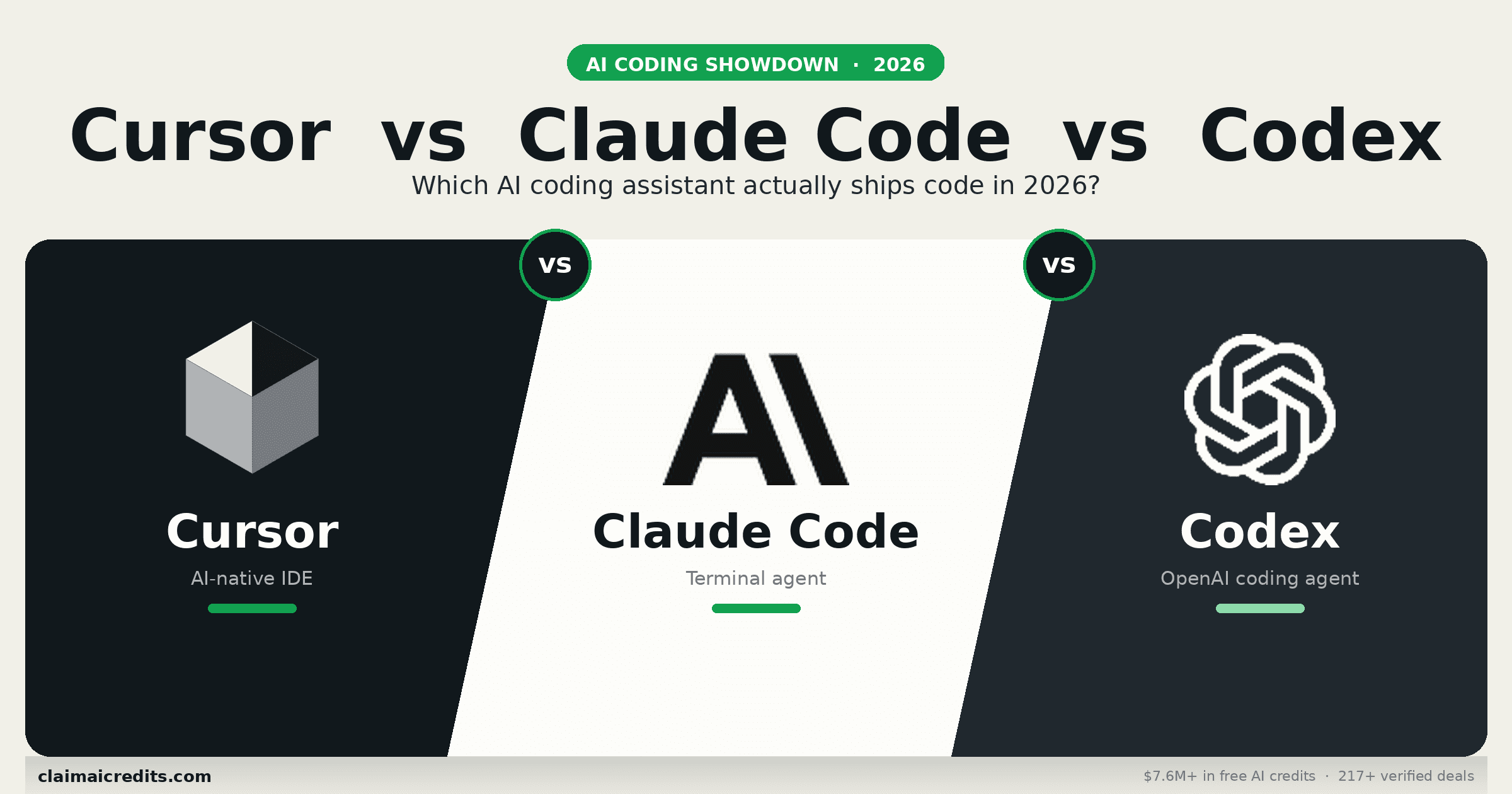
Cursor vs Claude Code vs Codex 2026: The Definitive AI Coding Tool Comparison
In-depth comparison of the three dominant AI coding tools in 2026. Feature breakdowns, pricing, benchmarks, and real developer experiences across Cursor, Claude Code, and OpenAI Codex CLI.
The Ultimate CLAUDE.md File Guide: How to 10x Your Claude Code Productivity
Master the CLAUDE.md configuration file for Claude Code. Templates, best practices, hooks, slash commands, and the 27-agent setup that went viral.
Anthropic vs OpenAI 2026: Which AI Company Should Your Startup Build On?
Deep comparison of Anthropic and OpenAI for startups in 2026. Models, pricing, credit programs, API features, enterprise tools, and the smart strategy for building on both.