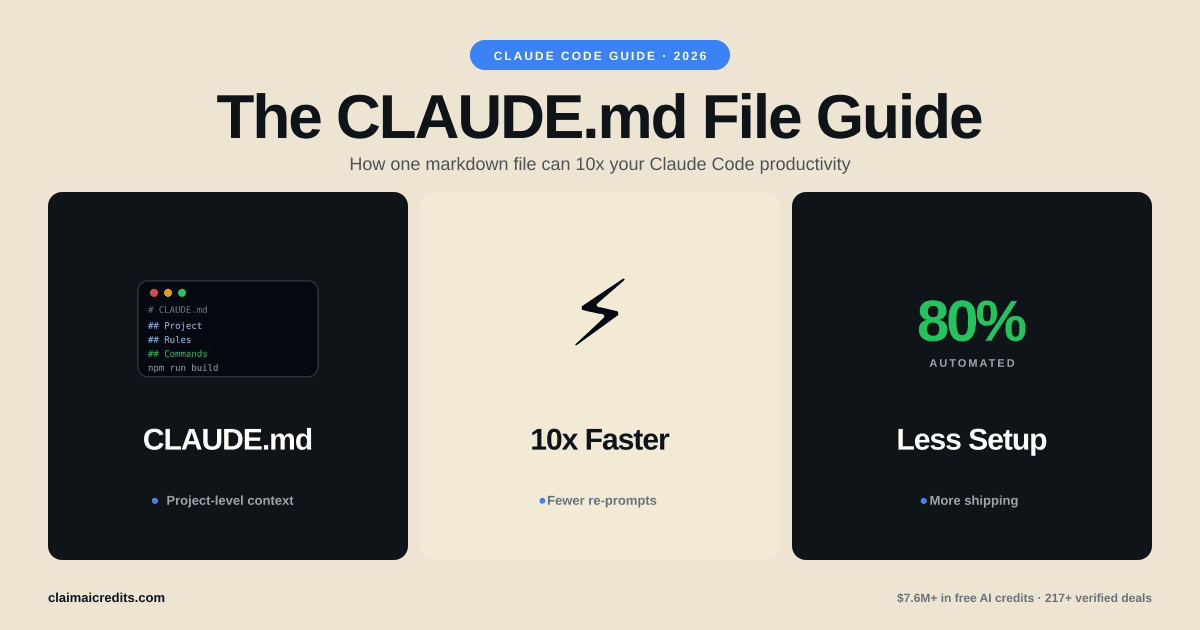
The Ultimate CLAUDE.md File Guide: अपनी Claude Code Productivity को 10x कैसे करें
Claude Code के लिए CLAUDE.md configuration file में महारत हासिल करें। Templates, best practices, hooks, slash commands, और viral हुआ 27-agent setup।
CLAUDE.md File क्या है और यह क्यों मायने रखती है
अगर आप Claude Code को बिना CLAUDE.md file के use कर रहे हैं, आप इसकी ज़्यादातर power table पर छोड़ रहे हैं।
CLAUDE.md एक Markdown configuration file है जिसे Claude Code हर session की शुरुआत में automatically पढ़ता है। यह Claude को आपके project के architecture, coding standards, preferred tools, testing patterns, और workflow rules के बारे में बताती है। हर conversation में same instructions repeat करने की बजाय, आप इन्हें एक बार लिखते हैं और Claude हर बार follow करता है।
इसे ऐसे समझें: एक contractor hire करना जो आपकी company के बारे में कुछ नहीं जानता vs एक जिसने आपकी पूरी engineering handbook पढ़ी है। CLAUDE.md file वही handbook है।
एक well-crafted CLAUDE.md file आपका prompting time 60-80% कम कर सकती है। यह repeated context-setting खत्म करती है, consistent code quality enforce करती है, और multi-agent automation जैसे advanced workflows enable करती है। यह guide basic setup से लेकर Twitter पर viral हुए 27-agent configuration तक सब cover करती है।
CLAUDE.md Repeated Prompting से बेहतर क्यों है
| Approach | Tokens प्रति Session | Consistency | Maintenance |
|---|---|---|---|
| Manual prompting | 500-2,000 प्रति conversation | कम — mood पर निर्भर | कोई नहीं |
| Clipboard templates | 300-1,000 प्रति paste | Medium — भूलना आसान | Manual |
| CLAUDE.md file | 0 (auto-loaded) | High — हमेशा apply | Version controlled |
| CLAUDE.md + hooks + commands | 0 (auto-loaded) | बहुत high — enforced | Git-tracked |
अकेले token savings significant हैं। अगर आप हर conversation में context-setting पर 500 tokens खर्च करते हैं और रोज़ 20 conversations करते हैं, यह रोज़ 10,000 tokens है — या model के हिसाब से लगभग $0.15-$0.75 प्रति दिन। एक महीने में, CLAUDE.md file आपको raw API costs में $4.50-$22.50 बचाती है और बेहतर results देती है।
Anthropic credits | AWS credits | Google Cloud credits
Claude Code CLAUDE.md Files को कैसे पढ़ता है
Claude Code CLAUDE.md files को specific priority order में देखता है। इस hierarchy को समझना instructions को effectively organize करने के लिए essential है।
File Loading Order
| Priority | Location | Scope | Use Case |
|---|---|---|---|
| 1 (lowest) | ~/.claude/CLAUDE.md | Global — सभी projects | Personal preferences, global coding style |
| 2 | Project root CLAUDE.md | Project-wide | Architecture, tech stack, project rules |
| 3 | Subdirectory CLAUDE.md | Directory-specific | Module-specific conventions |
| 4 (highest) | .claude/settings.json | Project config | Hooks, permissions, MCP servers |
Claude Code सभी applicable files को merge करता है। अगर आपकी global file कहती है "use 2-space indentation" लेकिन project file कहती है "use 4-space tabs," उस project के लिए project file जीतती है।
क्या कहाँ जाता है
Global CLAUDE.md (~/.claude/CLAUDE.md) — preferences जो हर जगह apply होती हैं:
# Global Preferences
- Always use TypeScript over JavaScript when possible
- Prefer functional components over class components in React
- Write concise commit messages under 72 characters
- Use ESM imports, never CommonJS require()
Project CLAUDE.md (project root) — इस codebase के लिए specific हर चीज़:
# Project: Acme Dashboard
## Tech Stack
- Next.js 15 with App Router
- TypeScript 5.x strict mode
- Tailwind CSS 4.0
- Prisma ORM with PostgreSQL
- Jest + React Testing Library for tests

## Architecture
- /app — Next.js routes (App Router only, no Pages Router)
- /components — reusable UI components
- /lib — business logic and utilities
- /prisma — database schema and migrations
अपनी पहली CLAUDE.md File बनाना
Claude Code और properly configured CLAUDE.md file के साथ शुरू करने के लिए step-by-step setup।
Step 1: Claude Code Install करें
npm install -g @anthropic-ai/claude-code
Step 2: अपनी Project Root में CLAUDE.md बनाएँ
touch CLAUDE.md
Step 3: Basic Configuration जोड़ें
इस minimal template से शुरू करें और ज़रूरत के अनुसार expand करें:
# Project: [Your Project Name]

## Tech Stack
- [Language/Framework]
- [Database]
- [Key libraries]

## Coding Standards
- [Indentation preference]
- [Naming conventions]
- [Import ordering]

## Rules
- Always write tests for new functions
- Never commit directly to main
- Use conventional commit messages
Step 4: Claude Code Run करें
claude
Claude Code automatically आपकी CLAUDE.md file detect और load करता है। आपको session output में confirmation दिखेगा।
 ClaimAICredits
फ्री Claude API Credits पाएँ
स्टार्टअप programs के ज़रिए $25,000+ Anthropic credits access करें। ClaimAICredits 217+ verified credit programs curate करता है।
Credits Explore करें
CLAUDE.md Templates: Starter, Advanced, और Team
Template 1: Simple Project (20 Lines)
Solo developers, side projects, और small codebases के लिए best।
# My App

## Stack
- Python 3.12, FastAPI, SQLAlchemy, PostgreSQL
- pytest for testing

## Rules
- Use type hints on all function signatures
- Write docstrings for public functions
- Keep functions under 30 lines
- Use async/await for all database operations
- Format with black, lint with ruff

## Patterns
- Repository pattern for data access
- Pydantic models for request/response validation
- Dependency injection via FastAPI Depends()
Template 2: Advanced Full-Stack Project (80+ Lines)
Multiple developers और complex architecture वाली production applications के लिए।
# Acme SaaS Platform

## Tech Stack
- Frontend: Next.js 15, TypeScript 5.x, Tailwind CSS 4.0
- Backend: Node.js 22, tRPC, Prisma ORM
- Database: PostgreSQL 16, Redis 7
- Infrastructure: Vercel (frontend), Railway (backend)
- Testing: Vitest, Playwright, MSW

## Architecture
All code follows Clean Architecture principles:
- /packages/web — Next.js frontend (App Router only)
- /packages/api — tRPC backend
- /packages/shared — shared types and utilities
- /packages/db — Prisma schema and client

## Coding Standards
- Strict TypeScript: no any, no ts-ignore
- All components must be functional with hooks
- Server Components by default, "use client" only when needed
- All API routes must have Zod input validation
- Database queries go through repository layer, never raw SQL

## Testing Requirements
- Minimum 80% coverage for new code
- Unit tests for all business logic
- Integration tests for API endpoints
- E2E tests for critical user flows
- Use MSW for API mocking, never mock fetch directly

## Git Workflow
- Conventional commits: feat:, fix:, chore:, docs:
- All PRs require passing CI before merge
- Squash merge to main
- Branch naming: feature/TICKET-123-description

## Security Rules
- NEVER hardcode secrets or API keys
- Always use environment variables for config
- Sanitize all user input
- Use parameterized queries (Prisma handles this)
- NEVER expose internal error details to clients
Template 3: Team Configuration (Git के ज़रिए Shared)
उन teams के लिए जो सभी members में consistent Claude Code behavior चाहती हैं।
# Team Engineering Standards — Acme Corp

## Overview
This file ensures Claude Code follows our team's engineering
standards. Committed to Git so all engineers get identical behavior.

## Code Review Checklist (Claude must follow before suggesting code)
1. Does this change have tests?
2. Are error cases handled?
3. Is the function documented?
4. Does it follow our naming conventions?
5. Are there any security implications?

## Naming Conventions
- Components: PascalCase (UserProfile.tsx)
- Hooks: camelCase with use prefix (useAuth.ts)
- Utils: camelCase (formatDate.ts)
- Constants: SCREAMING_SNAKE (MAX_RETRIES)
- Database tables: snake_case (user_profiles)
- API routes: kebab-case (/api/user-settings)

## Forbidden Patterns
- DO NOT use console.log in production code (use our logger)
- DO NOT use any TypeScript escape hatches (any, @ts-ignore)
- DO NOT install new dependencies without justification
- DO NOT modify database schema without migration file
- DO NOT use default exports (use named exports only)

## Preferred Libraries (do not suggest alternatives)
- State management: Zustand (not Redux)
- Forms: React Hook Form + Zod (not Formik)
- HTTP client: native fetch (not Axios)
- Date handling: date-fns (not Moment.js)
- Animation: Framer Motion (not React Spring)
तुलना: CLAUDE.md vs .cursorrules vs .github/copilot-instructions.md
अगर आप AI coding tools का मूल्यांकन कर रहे हैं, हर एक configuration कैसे handle करता है समझना critical है।
| Feature | CLAUDE.md (Claude Code) | .cursorrules (Cursor) | copilot-instructions.md (GitHub Copilot) |
|---|---|---|---|
| Auto-loading | हाँ, hierarchical | हाँ, project root | हाँ, repository root |
| Global + project scoping | हाँ (home + project) | सिर्फ project | Organization + repo |
| Hooks/automation | हाँ (settings.json) | Limited | नहीं |
| Custom slash commands | हाँ (.claude/commands/) | नहीं | नहीं |
| MCP server integration | हाँ (100+ tools) | नहीं | Limited (extensions के ज़रिए) |
| Multi-agent workflows | हाँ | नहीं | नहीं |
| Git के ज़रिए team sharing | हाँ | हाँ | हाँ |
| Max context size | बहुत बड़ा (full project) | ~6,000 tokens | Limited |
| लागत | API credits ज़रूरी | $20/month subscription | $10-19/month subscription |
Claude Code का key differentiator CLAUDE.md के आसपास का ecosystem है — hooks, custom commands, MCP servers, और multi-agent support इसे configuration file से पूरे automation framework में बदल देते हैं।
Hooks: अपना Claude Code Workflow Automate करना
Hooks .claude/settings.json में configure होते हैं, CLAUDE.md में नहीं। ये Claude Code events से पहले या बाद में automatically shell commands चलाते हैं।
Hook Configuration Structure
{
  "hooks": {
    "PreToolUse": [
      {
        "matcher": "Edit|Write",
        "command": "echo 'File about to be modified'"
      }
    ],
    "PostToolUse": [
      {
        "matcher": "Edit|Write",
        "command": "npx eslint --fix $CLAUDE_FILE_PATH"
      }
    ],
    "PreCommit": [
      {
        "command": "npm run lint && npm run test:changed"
      }
    ]
  }
}
सबसे Useful Hook Patterns
| Hook Event | Trigger | उदाहरण Use Case |
|---|---|---|
| PreToolUse | Claude द्वारा file edit/write करने से पहले | File paths validate करना, permissions check करना |
| PostToolUse | Claude द्वारा file edit/write करने के बाद | Auto-format, lint, related tests चलाना |
| PreCommit | Claude द्वारा code commit करने से पहले | पूरा lint + test suite चलाना |
| PostCommit | Claude द्वारा code commit करने के बाद | CI trigger करना, team को notify करना |
| SessionStart | जब Claude Code session शुरू होता है | Latest changes pull करना, env setup check करना |
Practical Hook उदाहरण
हर file edit के बाद auto-format:
{
  "hooks": {
    "PostToolUse": [
      {
        "matcher": "Edit|Write",
        "command": "npx prettier --write $CLAUDE_FILE_PATH"
      }
    ]
  }
}
Changed files के लिए tests चलाएँ:
{
  "hooks": {
    "PostToolUse": [
      {
        "matcher": "Edit",
        "command": "npx vitest run --reporter=verbose --changed"
      }
    ]
  }
}
Custom Slash Commands
Slash commands आपको reusable prompt templates बनाने देते हैं जो single / command से trigger होते हैं।
Slash Commands कैसे बनाएँ
- अपनी project में
.claude/commands/directory बनाएँ - Markdown files जोड़ें — हर file एक command बन जाती है
- Dynamic input के लिए
$ARGUMENTSplaceholder use करें
उदाहरण: .claude/commands/review.md
Review the following code for:
1. Security vulnerabilities
2. Performance issues
3. Missing error handling
4. Test coverage gaps

Code to review: $ARGUMENTS

Provide a severity rating (low/medium/high/critical) for each finding.
Claude Code में Usage:
/project:review src/auth/login.ts
Useful Slash Command Ideas
| Command File | Slash Command | Purpose |
|---|---|---|
review.md | /project:review | Security + quality review |
refactor.md | /project:refactor | Best practices के साथ refactor |
test.md | /project:test | Comprehensive tests generate करें |
docs.md | /project:docs | Documentation generate करें |
migrate.md | /project:migrate | Database migration helper |
debug.md | /project:debug | Systematic debugging workflow |
deploy-check.md | /project:deploy-check | Pre-deployment validation |
ClaimAICreditsAI Development लागत बचाएँ
Anthropic, AWS, Google Cloud, और 200+ अन्य platforms से credits stack करें।
सभी Perks Browse करेंMCP Servers: Claude Code की Capabilities को Extend करना
MCP (Model Context Protocol) servers Claude Code को external tools और services से connect करते हैं। सही से configure करने पर, Claude Code databases query कर सकता है, web browse कर सकता है, files manage कर सकता है, GitHub से interact कर सकता है, और बहुत कुछ — आपके coding session के अंदर से।
MCP Servers कैसे Configure करें
MCP servers .claude/settings.json में set up होते हैं:
{
  "mcpServers": {
    "postgres": {
      "command": "npx",
      "args": ["-y", "@modelcontextprotocol/server-postgres",
               "postgresql://localhost:5432/mydb"]
    },
    "github": {
      "command": "npx",
      "args": ["-y", "@modelcontextprotocol/server-github"]
    },
    "filesystem": {
      "command": "npx",
      "args": ["-y", "@modelcontextprotocol/server-filesystem", "/path/to/dir"]
    }
  }
}
Developers के लिए सबसे Popular MCP Servers
| MCP Server | क्या करता है | कब use करें |
|---|---|---|
| postgres | PostgreSQL databases query और modify करता है | Database debugging, schema exploration |
| github | Repos, PRs, issues manage करता है | PR reviews, issue triage |
| filesystem | Project के बाहर files read/write करता है | Cross-project file operations |
| puppeteer | Browser automation | Testing, scraping, screenshots |
| memory | Persistent key-value storage | Sessions में long-running context |
| slack | Slack messages भेजता/पढ़ता है | Team notifications, status updates |
| linear | Linear issues manage करता है | Task tracking, sprint management |
CLAUDE.md में MCP को Reference करना
आपकी CLAUDE.md Claude Code को निर्देश दे सकती है कि connected MCP servers को कब और कैसे use करना है:
## Available Tools
- Use the postgres MCP to check schema before writing migrations
- Use the github MCP to create PRs after completing feature branches
- Use the memory MCP to track progress on multi-step tasks
Viral 27-Agent Setup: एक Google Engineer ने 80% काम कैसे Automate किया
2026 की शुरुआत में, एक Google engineer का Twitter thread viral हो गया जिसमें उसने describe किया कि उसने अपने workflow के अलग हिस्सों को handle करने के लिए 27 specialized Claude Code agents कैसे set up किए। हर agent का अपना CLAUDE.md था narrow, focused instructions के साथ।
Core Insight
एक general-purpose Claude Code session सब कुछ करने की कोशिश करने की बजाय, उसने अपने काम को specialized roles में decompose किया। हर agent का था:
- Domain-specific knowledge के साथ dedicated CLAUDE.md
- Restricted tool access (सिर्फ वही जो उस agent को चाहिए)
- क्या touch करना चाहिए और क्या नहीं, इसकी clear boundaries
- Specific output formats और quality standards
उदाहरण Agent Breakdown
| Agent Role | CLAUDE.md Focus | Allowed Tools |
|---|---|---|
| Frontend Agent | React, CSS, accessibility standards | Edit, Write, Browser |
| Backend Agent | API design, database patterns, security | Edit, Write, Postgres MCP |
| Test Agent | Testing philosophy, coverage requirements | Edit, Write, Bash (test runner) |
| Docs Agent | Documentation standards, API docs format | Edit, Write |
| DevOps Agent | CI/CD, Docker, Kubernetes configs | Edit, Write, Bash |
| Review Agent | Code review checklist, security audit | Read only, GitHub MCP |
| Migration Agent | Database migration rules, rollback plans | Edit, Write, Postgres MCP |
| Perf Agent | Performance benchmarks, bundle analysis | Read, Bash, Browser |
इस Setup को कैसे Replicate करें
इस pattern से फायदा उठाने के लिए आपको 27 agents की ज़रूरत नहीं है। 3-5 specialized configurations से शुरू करें:
1. हर role के लिए अलग CLAUDE.md files बनाएँ:
.claude/agents/frontend.md
.claude/agents/backend.md
.claude/agents/testing.md
2. Specific configuration के साथ Claude Code launch करें:
# Use different profiles by combining global + agent-specific context
claude --profile frontend
3. Clear handoff points define करें:
आपकी primary CLAUDE.md reference कर सकती है कि agents कब switch करें:
## Agent Workflow
- Frontend changes: use the frontend agent profile
- API changes: use the backend agent profile
- After any code change: run the test agent
- Before merging: run the review agent
यह क्यों काम करता है
27-agent approach AI productivity में एक fundamental principle की वजह से काम करता है: narrow context broad context से बेहतर output पैदा करता है। Frontend, backend, DevOps, testing, और documentation के बारे में 400 lines की instructions वाला Claude Code session, किसी भी single task पर 50 highly relevant lines वाले session से worse perform करेगा।
Common CLAUDE.md गलतियाँ (और उन्हें कैसे Fix करें)
Mistake 1: बहुत Vague होना
बुरा:
Write good code that follows best practices.
अच्छा:
- Use TypeScript strict mode, no implicit any
- All functions must have JSDoc comments
- Error handling: wrap async operations in try/catch
- Max function length: 30 lines
Mistake 2: Instructions से Overload करना
500+ lines की instructions डालने से Claude Code important rules को deprioritize करता है। अपनी CLAUDE.md focused रखें।
| CLAUDE.md Size | Performance Impact |
|---|---|
| 20-50 lines | ज़्यादातर projects के लिए optimal |
| 50-150 lines | Complex projects के लिए अच्छा |
| 150-300 lines | Clear organization के साथ acceptable |
| 300+ lines | Diminishing returns — split करने पर विचार करें |
Mistake 3: CLAUDE.md को Version Control नहीं करना
आपकी CLAUDE.md Git में commit होनी चाहिए। यह ensure करता है:
- Team consistency
- Change history और accountability
- अगर instructions issues पैदा करें तो easy rollback
- Instruction changes के लिए PR reviews
Mistake 4: Security Section को Ignore करना
अपनी CLAUDE.md में हमेशा security rules include करें:
## Security (CRITICAL — never ignore)
- NEVER hardcode API keys, tokens, or passwords
- NEVER commit .env files
- ALWAYS use parameterized database queries
- ALWAYS validate and sanitize user input
- NEVER expose stack traces or internal errors to users
Mistake 5: Tech Stack का ज़िक्र भूल जाना
Claude Code code से आपका stack infer कर सकता है, लेकिन explicit declarations गलत assumptions रोकती हैं:
## Stack (authoritative — do not infer differently)
- Runtime: Node.js 22 (NOT Deno, NOT Bun)
- Framework: Next.js 15 App Router (NOT Pages Router)
- ORM: Prisma (NOT Drizzle, NOT TypeORM)
- Package manager: pnpm (NOT npm, NOT yarn)
Claude Code Best Practices: Power User Tips
Tip 1: Conditional Instructions Use करें
## Environment-Specific Rules
- In development: use verbose logging, skip minification
- In production: no console.log, enable all optimizations
- In CI: run full test suite, fail on any warning
Tip 2: Output Formats Define करें
## When I ask for a code review, respond with:
1. **Summary** (1-2 sentences)
2. **Issues found** (bulleted, severity-tagged)
3. **Suggested fixes** (with code snippets)
4. **Overall grade** (A/B/C/D/F)
Tip 3: Dependencies पर Boundaries Set करें
## Dependency Rules
- NEVER install packages with fewer than 1,000 weekly downloads
- NEVER install packages with known CVEs
- Prefer built-in Node.js APIs over third-party packages
- Always check bundle size impact before adding frontend deps
Tip 4: Long Projects के लिए Memory Files Use करें
## Memory
- Track all completed features in .claude/memory/features.md
- Log all architecture decisions in .claude/memory/decisions.md
- Update progress after each session
Tip 5: अपनी CI/CD के साथ Integrate करें
आपकी CLAUDE.md Claude Code को आपकी CI pipeline का सम्मान करने का निर्देश दे सकती है:
## Before pushing any code:
1. Run `pnpm lint` — fix all errors
2. Run `pnpm test` — all tests must pass
3. Run `pnpm build` — build must succeed
4. Check bundle size — must not exceed 250KB
Claude Code की लागत कितनी है? (और Credits कैसे पाएँ)
Claude Code API credits use करता है, जिसका मतलब है आपकी लागत इस पर निर्भर करती है कि आप कौन सा model use करते हैं और कितना context feed करते हैं।
Claude Code Cost Breakdown
| Model | Input Cost (per 1M tokens) | Output Cost (per 1M tokens) | किसके लिए Best |
|---|---|---|---|
| Haiku 4.5 | $0.80 | $4.00 | Quick edits, simple tasks |
| Sonnet 4.5 | $3.00 | $15.00 | ज़्यादातर coding tasks |
| Opus 4.6 | $15.00 | $75.00 | Complex architecture, multi-file refactoring |
एक typical heavy Claude Code day 500K-2M tokens use करता है, model choice के हिसाब से $2-$30 लागत। एक well-configured CLAUDE.md repeated context खत्म करके token usage कम करती है।
Claude Code के लिए Free Credits पाना
अपने Claude Code usage को fund करने का सबसे अच्छा तरीका credit programs है:
| Program | उपलब्ध Credits | Eligibility |
|---|---|---|
| Anthropic Free Tier | $5 | कोई भी |
| Anthropic Startup Program | $1,000 – $25,000 | Early-stage स्टार्टअप |
| AWS Activate (Bedrock) | $1,000 – $100,000 | स्टार्टअप |
| Google Cloud for Startups | $2,000 – $100,000 | स्टार्टअप |
| Microsoft for Startups | $1,000 – $5,000 | स्टार्टअप |
कुल stackable credits: सभी programs में $230,000+ तक।
Anthropic credits | AWS credits | Google Cloud credits | Azure credits
एक CLAUDE.md file plus $5,000-$25,000 स्टार्टअप credits मिलकर आपको zero लागत पर 3-6 महीने intensive Claude Code development देते हैं। आप जिनके लिए qualify करते हैं वे सभी credit programs ClaimAICredits पर browse करें।
Quick Reference: CLAUDE.md Cheat Sheet
| आप क्या चाहते हैं | कहाँ Configure करें | उदाहरण |
|---|---|---|
| Global coding style | ~/.claude/CLAUDE.md | Indentation, naming conventions |
| Project architecture | Project root CLAUDE.md | Tech stack, folder structure |
| Auto-formatting | .claude/settings.json hooks | Save पर Prettier |
| Custom commands | .claude/commands/*.md | /project:review, /project:test |
| External tools | .claude/settings.json MCP servers | Postgres, GitHub, Slack |
| Tool permissions | .claude/settings.json | Specific tools allow/deny |
| Multi-agent setup | Multiple CLAUDE.md profiles | Frontend agent, backend agent |
आज शुरू करें
AI-assisted development के लिए CLAUDE.md file सबसे highest-leverage configuration है जो आप set up कर सकते हैं। इस guide के simple template से शुरू करें, इसे अपने repo में commit करें, और जो आपके workflow के लिए काम करे उसके आधार पर iterate करें।
जो engineers Claude Code से सबसे ज़्यादा value पा रहे हैं वे better prompts नहीं लिख रहे — वे better CLAUDE.md files लिख रहे हैं। Viral 27-agent setup साबित करता है कि thoughtful configuration हर बार brute-force prompting को हरा देती है।
अगर Claude Code की API costs आपको multi-agent workflows जैसे advanced setups experiment करने से रोक रही हैं, ClaimAICredits के ज़रिए available free credit programs explore करें। Anthropic, AWS, और Google Cloud से credits stack करना आपको अपनी CLAUDE.md configuration perfect करने के लिए महीनों का free development time दे सकता है।
Frequently Asked Questions
CLAUDE.md एक Markdown configuration file है जिसे Claude Code automatically पढ़ता है जब आप session शुरू करते हैं। यह project context, coding standards, rules, और instructions set करती है ताकि Claude आपका codebase बिना बार-बार prompting के समझ सके। इसे अपने पूरे development workflow के लिए system prompt समझें।
Project-specific instructions के लिए CLAUDE.md को अपनी project directory की root में रखें। सभी projects पर लागू होने वाली global preferences के लिए, अपनी home directory (~/.claude/CLAUDE.md) में CLAUDE.md file बनाएँ। Claude Code दोनों पढ़ता है — पहले global, फिर project-specific।
CLAUDE.md specifically Claude Code (Anthropic का CLI-based coding tool) के लिए design की गई है, जबकि .cursorrules Cursor IDE के लिए है। CLAUDE.md hooks, slash commands, MCP server configuration, और multi-agent workflows जैसे richer features support करता है जो .cursorrules नहीं करता।
Simple projects के लिए 20-50 lines से शुरू करें। Complex enterprise codebases को architecture, testing standards, deployment rules, और multi-agent configurations cover करते हुए 200-400 lines की ज़रूरत हो सकती है। Instructions को concise और actionable रखें — Claude Code verbose descriptions की बजाय clear, specific rules के साथ बेहतर perform करता है।
हाँ। CLAUDE.md को अपनी Git repository में commit करें ताकि हर team member को same Claude Code behavior मिले। यह पूरी team में consistent code style, testing practices, और architectural decisions ensure करता है। कई teams CLAUDE.md को living document मानती हैं जो codebase के साथ evolve होता है।
CLAUDE.md किसी भी Claude Code plan के साथ काम करती है। हालाँकि, advanced configurations में बताए गए complex multi-agent workflows और heavy usage patterns को significant API credits चाहिए। Anthropic, AWS, और Google Cloud के स्टार्टअप credit programs intensive Claude Code usage को support करने के लिए $1,000 से $150,000+ दे सकते हैं।
Hooks automated actions हैं जो file edits, commits, या command execution जैसे Claude Code events से पहले या बाद में चलते हैं। ये .claude/settings.json में configure होते हैं, CLAUDE.md में directly नहीं। Common hooks में file saves के बाद linters चलाना, code changes के बाद tests execute करना, और commits से पहले code format करना शामिल है।
एक Google engineer viral हुआ था जिसने 27 specialized Claude Code agents वाला setup describe किया, हर एक का अपना CLAUDE.md profile। हर agent एक specific domain handle करता था — frontend, backend, testing, documentation, DevOps — tailored instructions, allowed tools, और coding standards के साथ। Key insight यह थी कि एक general-purpose assistant use करने की बजाय काम को narrow, well-defined agent roles में decompose करना।
हाँ। अपनी project में .claude/commands/ directory में Markdown files बनाएँ। हर file एक slash command बन जाती है। उदाहरण के लिए, .claude/commands/deploy.md /project:deploy command बन जाती है। File content prompt template के रूप में काम करता है, और आप dynamic input के लिए $ARGUMENTS placeholders include कर सकते हैं।
MCP (Model Context Protocol) servers Claude Code की capabilities को databases, APIs, browsers, और file systems जैसे external tools से connect करके extend करते हैं। आप .claude/settings.json में allowed MCP servers configure करते हैं और CLAUDE.md instructions में उनकी capabilities reference करते हैं। यह Claude Code को Postgres, GitHub, Slack, और सैकड़ों अन्य services से directly interact करने देता है।
 ClaimAICredits
AI टूल्स पर अपना स्टार्टअप बजट बचाएं
ClaimAICredits AI टूल्स, क्लाउड सेवाओं और APIs पर एक्सक्लूसिव क्रेडिट्स, छूट और डील्स क्यूरेट करता है और एक्सेस प्रदान करता है, ताकि स्टार्टअप्स पैसे बचा सकें।
- $7.6M+ मूल्य के 217+ वेरिफाइड क्रेडिट्स
- स्टेप-बाय-स्टेप एप्लीकेशन गाइड्स
- 24 घंटे में रिस्पॉन्स के साथ प्रायोरिटी सपोर्ट
संबंधित लेख
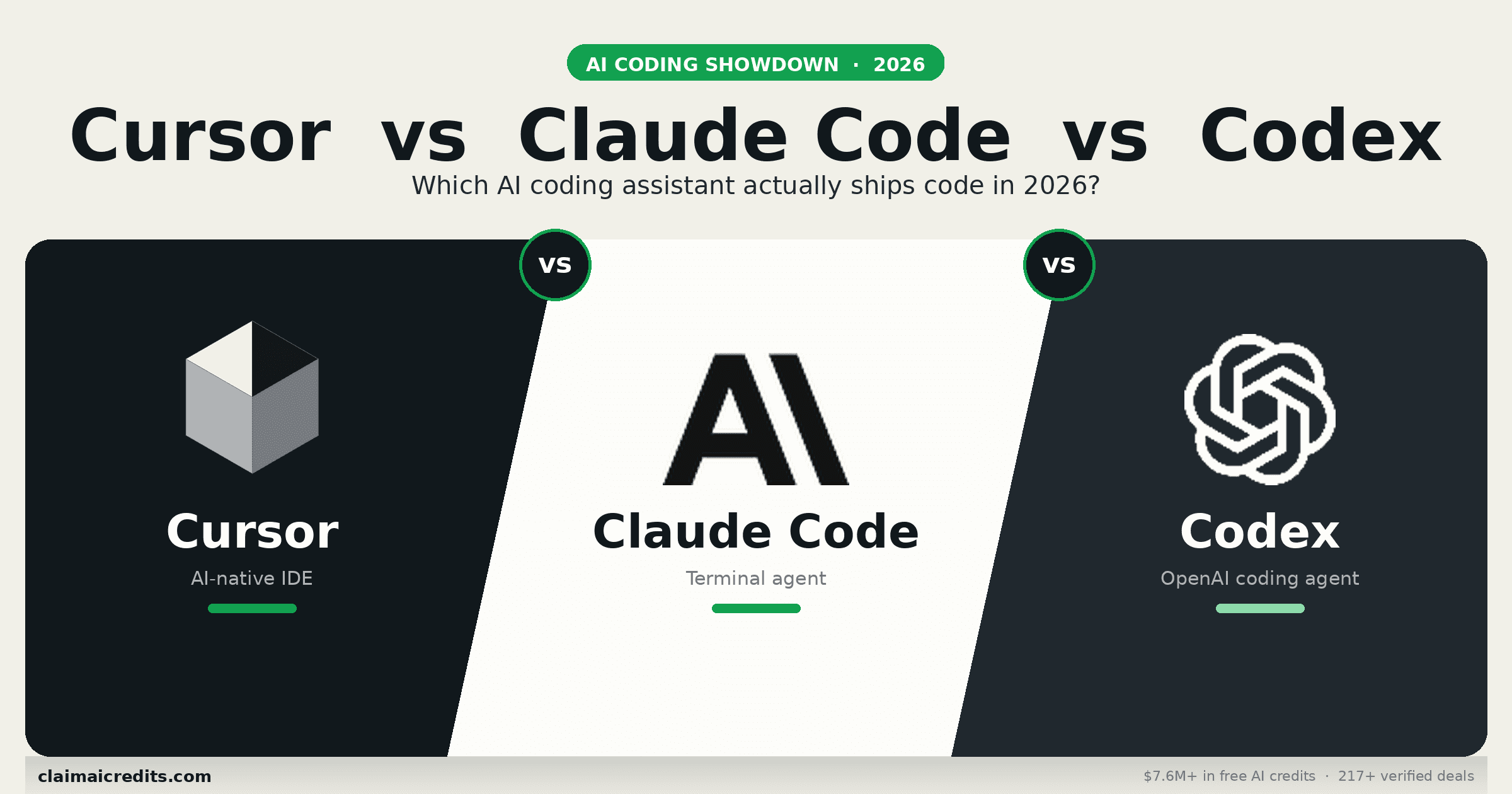
Cursor vs Claude Code vs Codex 2026: Definitive AI Coding Tool तुलना
2026 के तीन dominant AI coding tools की in-depth तुलना। Cursor, Claude Code, और OpenAI Codex CLI में feature breakdowns, pricing, benchmarks, और real developer experiences।
Anthropic vs OpenAI 2026: आपके स्टार्टअप को किस AI कंपनी पर बनाना चाहिए?
2026 में स्टार्टअप्स के लिए Anthropic और OpenAI की गहन तुलना। मॉडल्स, प्राइसिंग, क्रेडिट प्रोग्राम, API फीचर्स, एंटरप्राइज़ टूल्स, और दोनों पर बनाने की स्मार्ट रणनीति।
2026 में 10 सबसे अच्छे Claude Code विकल्प: मुफ्त और ओपन सोर्स विकल्प
2026 में Claude Code के टॉप मुफ्त और ओपन सोर्स विकल्प। Claw Code, OpenCode, Aider, Gemini CLI, Cursor, और अधिक की तुलना करें — प्राइसिंग, फीचर्स, और क्रेडिट कैसे पाएं।