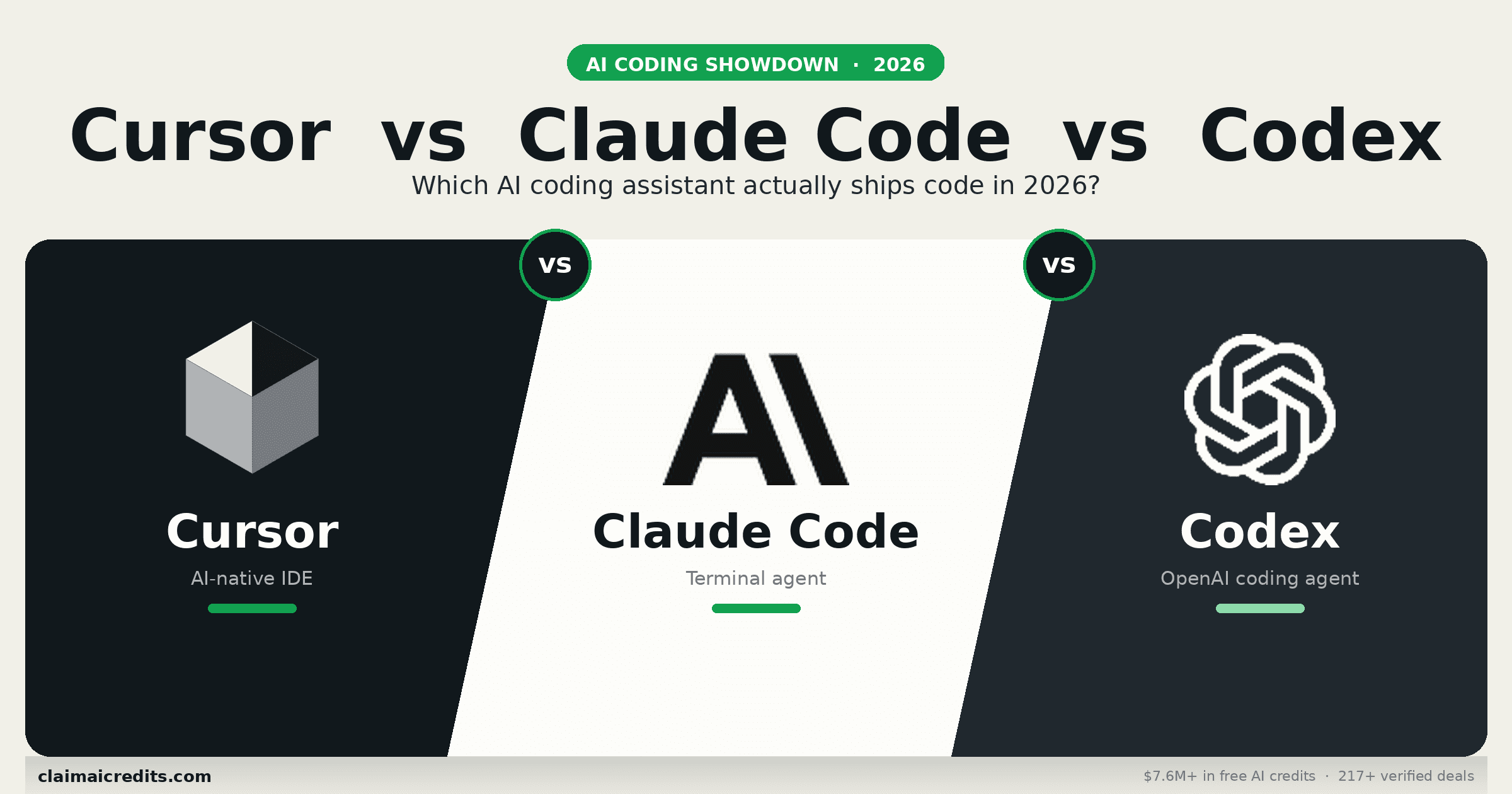
Cursor vs Claude Code vs Codex 2026: Definitive AI Coding Tool तुलना
2026 के तीन dominant AI coding tools की in-depth तुलना। Cursor, Claude Code, और OpenAI Codex CLI में feature breakdowns, pricing, benchmarks, और real developer experiences।
2026 का AI Coding Tool War
Developer Twitter पर आग लगी है। एक faction अपनी raw agentic power के लिए Claude Code की कसम खाता है। दूसरा Cursor नहीं छोड़ेगा क्योंकि IDE experience बेजोड़ है। और तीसरा camp अभी-अभी Codex CLI discover करके इसके बारे में post करना बंद नहीं करेगा।
Debate academic नहीं है। आप जो tool चुनते हैं वह shape करता है कि आप कितनी जल्दी ship करते हैं, कितना खर्च करते हैं, और code लिखने के बारे में कैसे सोचते हैं। हर tool AI-assisted development के लिए fundamentally अलग philosophy represent करता है।
यह guide तीनों की head-to-head तुलना करती है features, pricing, benchmarks, context handling, और real-world developer experiences के across। हम GitHub Copilot भी cover करते हैं क्योंकि यह सबसे widely deployed option और frequent comparison point बना हुआ है।
Bottom line: कोई single best tool नहीं है। Claude Code complex, multi-file agentic काम dominate करता है। Cursor best everyday IDE experience देता है। Codex CLI सबसे lowest entry cost पर strong agentic capability लाता है। Winning move है तीनों के लिए free credits claim करना और हर एक को वहाँ use करना जहाँ वह excel करता है।
Quick तुलना: Cursor vs Claude Code vs Codex vs Copilot
| Feature | Claude Code | Cursor | Codex CLI | GitHub Copilot |
|---|---|---|---|---|
| Maker | Anthropic | Cursor Inc. | OpenAI | GitHub / Microsoft |
| Type | Terminal agent | AI-native IDE | Terminal agent | IDE plugin |
| Base model | Claude Opus 4.6 / Sonnet 4.5 | Multi-model (Claude, GPT-4o) | GPT-5 / o3 | GPT-4o / custom |
| Pricing | API usage ($100-500/mo typical) | $20/mo Pro, $40/mo Business | API usage (free tier available) | $10-19/mo |
| Free tier | $5 API credits | 2,000 completions/mo | Free API credits | Students/OSS के लिए free |
| Context window | 200K tokens (1M backing) | 100K+ tokens | Model-dependent | 8-32K tokens |
| Agentic mode | Native, full autonomy | Agent mode (newer) | Native, sandboxed | Limited |
| Multi-file edits | Excellent | Very good | Good | Basic |
| IDE integration | Terminal / VS Code extension | Built-in (VS Code का fork) | सिर्फ Terminal | VS Code, JetBrains, Neovim |
| किसके लिए Best | Complex refactoring, senior devs | Daily coding, सभी levels | Quick agentic tasks, OSS | Inline completions |
Free credits पाएँ: Anthropic credits | OpenAI credits
Claude Code: The Power Tool
Claude Code Anthropic का terminal-based agentic coding assistant है। यह directly Anthropic API से connect होता है और आपके codebase को autonomously navigate, समझने, और modify करने के लिए Claude Opus 4.6 या Sonnet 4.5 use करता है।
इसे क्या different बनाता है
Claude Code IDE के अंदर बैठकर आपके सवाल पूछने का इंतज़ार नहीं करता। आप इसे codebase पर point करते हैं, describe करते हैं कि आप क्या चाहते हैं, और यह बाकी सब figure out कर लेता है: files पढ़ना, architecture समझना, code लिखना, tests चलाना, और failures पर iterate करना।
यह agentic approach मतलब है कि Claude Code उन tasks को handle करता है जो दूसरे tools नहीं कर सकते। 50+ files में multi-file refactors, complex debugging sessions जिनमें पूरे system architectures समझने की ज़रूरत है, और automated test generation जो वाकई आपके testing patterns को समझता है।
Key strengths
- Deepest context understanding. 200K token session context (Claude की 1M token capability द्वारा backed) मतलब यह काम करते हुए आपके पूरे codebase को mind में रख सकता है
- True agentic autonomy. यह files पढ़ता है, code लिखता है, commands चलाता है, और बिना hand-holding के iterate करता है
- Best coding model. Claude Opus 4.6 SWE-bench पर 72.5% लीड करता है, सबसे respected real-world coding benchmark
- Terminal-native. किसी भी environment में काम करता है — server में SSH करें और directly use करें
- Editor पर कोई vendor lock-in नहीं. इसके साथ जो भी IDE चाहें use करें
Key weaknesses
- Heavy use के लिए महंगा. Opus 4.6 $15/$75 प्रति million tokens पर तेज़ी से जुड़ता है। एक पूरा दिन agentic coding $20-50 लागत कर सकता है
- Unpredictable billing. Usage-based pricing teams के लिए budgeting मुश्किल बनाती है
- Steep learning curve. Terminal workflows और prompt engineering के साथ comfort ज़रूरी है
- कोई inline completions नहीं. यह agent है, autocomplete engine नहीं
Typical monthly cost
| Usage level | Model mix | Monthly cost |
|---|---|---|
| Light (1-2 sessions/day) | ज़्यादातर Sonnet | $50 – $100 |
| Moderate (3-5 sessions/day) | Sonnet + Opus | $150 – $300 |
| Heavy (पूरा दिन, हर दिन) | ज़्यादातर Opus | $300 – $600 |
| Team of 5 (हर एक moderate) | Mixed | $750 – $1,500 |
Pro tip: Routine tasks के लिए Sonnet 4.5 use करें और सिर्फ complex reasoning के लिए Opus 4.6 पर switch करें। यह standard coding काम के लिए minimal quality loss के साथ लागत 60-70% तक घटा सकता है।
Cursor: Best Everyday IDE
Cursor VS Code का fork है जिसे AI-native code editor के रूप में फिर से बनाया गया है। यह traditional IDE features को deep AI integration के साथ combine करता है — inline completions, chat, multi-file edits, और एक agentic mode।
इसे क्या different बनाता है
Cursor developers को वहाँ मिलता है जहाँ वे पहले से हैं: editor के अंदर। आप type करते हुए AI completions, सवालों के लिए chat panel, और बड़े tasks के लिए agent capabilities — सब IDE छोड़े बिना। Experience natural feel होता है, bolted-on नहीं।
Key strengths
- Category में best UX. AI features editing experience के लिए native feel होते हैं, अलग tool जैसा नहीं
- Multi-model support. Task के हिसाब से Claude Sonnet 4.5, GPT-4o, या अन्य models use करें
- Predictable pricing. Pro के लिए flat $20/month मतलब कोई surprise bills नहीं
- Inline completions + agent mode. Quick suggestions और complex multi-file tasks दोनों cover करता है
- Familiar environment. VS Code extensions, settings, और keybindings सब carry over होते हैं
- Codebase indexing. Context-aware suggestions के लिए automatically आपका repo index करता है
Key weaknesses
- Deep agentic काम के लिए उतना powerful नहीं. Agent mode improve हो रहा है लेकिन Claude Code की autonomous capability से match नहीं करता
- अपने IDE तक limited. अगर आप JetBrains, Neovim, या Emacs use करते हैं, Cursor option नहीं है (हालाँकि Neovim mode मौजूद है)
- Completion quality model से vary करती है. Experience उतना ही अच्छा है जितना underlying model
- Free tier restrictive है. महीने में 2,000 completions active development के लिए जल्दी खत्म हो जाते हैं
Cursor pricing breakdown
| Plan | Price | Includes |
|---|---|---|
| Free | $0/mo | 2,000 completions, limited slow premium requests |
| Pro | $20/mo | Unlimited completions, 500 fast premium requests/mo |
| Business | $40/mo/seat | Pro में सब + admin controls, team features |
| Enterprise | Custom | SSO, SAML, dedicated support, compliance |
OpenAI Codex CLI: Open-Source Challenger
Codex CLI OpenAI का open-source, terminal-based coding agent है। 2026 की शुरुआत में released, यह GPT-5 और o3 reasoning model द्वारा powered agentic coding capabilities आपकी command line में लाता है।
इसे क्या different बनाता है
Codex CLI fully open-source (Apache 2.0) है और locally आपके terminal में चलता है। यह आपका codebase पढ़ता है, changes propose करता है, और sandboxed environment में execute कर सकता है। Open-source nature मतलब community contributions इसे तेज़ी से improve कर रहे हैं।
Key strengths
- Open-source और install करने के लिए free. Tool के लिए कोई licensing fees नहीं
- सबसे lowest barrier to entry. Free OpenAI credits आपको तुरंत शुरू करा देते हैं
- Sandboxed execution. Default में safe code execution के लिए network-disabled sandbox
- कई autonomy levels. Suggest, auto-edit, और full-auto modes के बीच choose करें
- GPT-5 और o3 access. Reasoning-heavy tasks के लिए OpenAI के strongest models leverage करता है
- Growing community. Rapid open-source development और plugin ecosystem
Key weaknesses
- Newer और कम mature. Claude Code और Cursor की तुलना में हाल ही में released
- सिर्फ Terminal. कोई IDE integration नहीं (अभी तक)
- Model limitations. GPT-5 coding benchmarks पर Claude Opus 4.6 से पीछे है (62.8% vs 72.5% SWE-bench)
- Context window constraints. Underlying model के context limits पर निर्भर
- Heavy use के लिए API costs. Free credits सिर्फ इतनी दूर जाते हैं; heavy usage के लिए paid API access ज़रूरी है
Codex CLI pricing
| Component | Cost |
|---|---|
| Tool license | Free (open-source) |
| OpenAI free credits | $5 sign-up credit |
| GPT-5 API | $10/$30 प्रति million tokens (input/output) |
| o3 API | $10-20/$40-60 प्रति million tokens |
| Typical monthly cost | $30 – $200 usage के हिसाब से |
 ClaimAICredits
तीनों के लिए Free Credits Claim करें
Claude Code के लिए $5 Anthropic credits, Codex CLI के लिए $5 OpenAI credits, और Cursor discount codes खोजें। 217+ verified perks available।
सभी AI Coding Perks Browse करें
Feature-by-Feature तुलना
Code Generation Quality
हर tool जो code generate करता है उसकी quality primarily underlying model पर निर्भर करती है। यह रहा कि वे major coding benchmarks पर कैसे तुलना करते हैं:
| Benchmark | Claude Code (Opus 4.6) | Cursor (Claude/GPT-4o) | Codex CLI (GPT-5) | Copilot (GPT-4o) |
|---|---|---|---|---|
| SWE-bench Verified | 72.5% | 65-72% (model dependent) | 62.8% | 55.2% |
| HumanEval | 96.4% | 92-96% | 94.1% | 89.7% |
| MBPP+ | 91.2% | 87-91% | 88.3% | 84.5% |
| Multi-file edits | Excellent | Very good | Good | Basic |
| Test generation | Excellent | Good | Good | Basic |
Winner: Claude Code raw generation quality के लिए। Cursor Claude models use करते हुए match कर सकता है, लेकिन Claude Code का deeper context understanding इसे complex tasks पर edge देता है।
Context और Codebase Understanding
हर tool आपका कितना codebase देख और reason कर सकता है:
| Capability | Claude Code | Cursor | Codex CLI | Copilot |
|---|---|---|---|---|
| Max context | 200K tokens (1M backing) | 100K+ (indexed) | Model-dependent (256K) | 8-32K tokens |
| Codebase indexing | On demand reads | Automatic indexing | On demand reads | Repo-level (limited) |
| Multi-repo support | हाँ (freely navigate) | Single workspace | Single directory | Single repo |
| File discovery | Autonomous | IDE-assisted | Autonomous | Manual |
| Architecture awareness | Deep (configs, deps पढ़ता है) | Good (indexed) | Good | Surface-level |
Winner: Claude Code large codebases के लिए। Autonomous file exploration के साथ 200K token active context मतलब यह genuinely आपके project architecture को समझता है। जिन files को इसने देखा है उनके लिए Cursor की indexing excellent है।
Agentic Capabilities
हर tool कितनी autonomously operate कर सकता है:
| Capability | Claude Code | Cursor | Codex CLI | Copilot |
|---|---|---|---|---|
| Autonomous multi-step tasks | Excellent | Good (Agent mode) | Very good | Limited |
| Terminal commands चलाएँ | हाँ | हाँ (terminal में) | हाँ (sandboxed) | नहीं |
| Self-correction | Strong (errors पर iterate) | Good | Good | Weak |
| Test-driven development | Tests लिखता और चलाता है | Tests लिखता है | Tests लिखता और चलाता है | Tests लिखता है |
| Git operations | Full git workflow | Basic git | Full git workflow | PR suggestions |
| Deployment tasks | हाँ | Limited | हाँ (sandboxed) | नहीं |
Winner: Claude Code full autonomy के लिए। Codex CLI sandboxed execution में strong है। Cursor का agent mode capable है लेकिन full autonomy की बजाय guided workflows के लिए designed है।
Developer Experience
Day-to-day usability raw capability जितनी ही मायने रखती है:
| Factor | Claude Code | Cursor | Codex CLI | Copilot |
|---|---|---|---|---|
| Setup time | 5 min (API key) | 2 min (download) | 5 min (npm install + key) | 2 min (extension) |
| Learning curve | Steep | Gentle | Moderate | Gentle |
| Inline completions | नहीं | Excellent | नहीं | Excellent |
| Chat interface | Terminal chat | IDE sidebar | Terminal chat | IDE sidebar |
| Speed of response | Fast (streaming) | Very fast | Fast (streaming) | Very fast |
| Vim/terminal workflow | Native | Partial (Vim mode) | Native | Extension |
Winner: Cursor everyday DX के लिए। अगर आप 8 घंटे coding करते हैं, inline completions के साथ IDE experience बस बेहतर feel होता है। Claude Code और Codex CLI उन developers के लिए जीतते हैं जो terminal में रहते हैं।
Pricing तुलना: True Cost of Ownership
Monthly costs usage patterns पर wildly vary करती हैं। यह रहा realistic breakdown:
Solo Developer (moderate daily use)
| Tool | Monthly cost | क्या मिलता है |
|---|---|---|
| Claude Code | $150 – $300 | Unlimited capability, API-priced |
| Cursor Pro | $20 | 500 fast requests + unlimited completions |
| Codex CLI | $30 – $150 | API-priced, Claude से कम per-token cost |
| GitHub Copilot | $10 – $19 | Inline completions + chat |
| Cursor + Copilot | $30 – $39 | $40 से कम में दोनों का best |
Small Team (5 developers)
| Tool | Monthly cost | Notes |
|---|---|---|
| Claude Code | $500 – $1,500 | Predict करना मुश्किल, कोई per-seat pricing नहीं |
| Cursor Business | $200 ($40/seat) | Predictable, admin controls |
| Codex CLI | $150 – $750 | API costs shared या individual |
| GitHub Copilot Business | $95 ($19/seat) | सबसे cheapest per-seat option |
Enterprise (50+ developers)
| Tool | Monthly cost | Enterprise features |
|---|---|---|
| Claude Code | $5,000 – $25,000+ | Anthropic के ज़रिए custom agreements |
| Cursor Enterprise | Custom | SSO, SAML, audit logs |
| Codex CLI | $1,500 – $10,000+ | OpenAI enterprise API tiers |
| GitHub Copilot Enterprise | $1,950+ ($39/seat) | Knowledge bases, fine-tuning |
Free Tier तुलना
हर tool free में शुरू करने का तरीका देता है:
| Tool | Free offering | किसके लिए पर्याप्त |
|---|---|---|
| Claude Code | $5 Anthropic API credits | 1-2 दिन light use |
| Cursor | 2,000 completions/month | Evaluation period |
| Codex CLI | $5 OpenAI API credits + OSS tool | 2-3 दिन moderate use |
| GitHub Copilot | Students/OSS maintainers के लिए free | Eligible हैं तो full access |
अपने Anthropic credits claim करें | अपने OpenAI credits claim करें
Real Developer Experiences
Claude Code कब जीतता है
Developers consistently report करते हैं कि Claude Code excel करता है:
- Large refactors. Codebase को एक framework से दूसरे में migrate करना, 100+ files में API patterns update करना, या monolith को modules में restructure करना
- Legacy code समझना. इसे एक unfamiliar codebase पर point करें और यह architecture map करता है, patterns explain करता है, और issues identify करता है
- Complex debugging. यह logs पढ़ता है, execution paths trace करता है, और full system context को account करने वाले fixes propose करता है
- Automated test generation. यह आपके existing test patterns को समझता है और ऐसे tests generate करता है जो वाकई आपके conventions से match करते हैं
Cursor कब जीतता है
Cursor daily coding workflows में चमकता है:
- नए features लिखना. Inline completion engine आपकी अगली lines accurately predict करता है, आपको flow में रखता है
- Quick edits. Code highlight करें, change describe करें, और यह inline rewrite करता है। कोई context switching नहीं
- Code review. एक diff paste करें और sidebar में instant analysis पाएँ
- नए frameworks सीखना. Chat panel आपके actual code से context के साथ सवालों के जवाब देता है
Codex CLI कब जीतता है
Codex CLI की sweet spot:
- Quick terminal tasks. Script लिखना, config fix करना, या boilerplate generate करना? Codex CLI बिना IDE खोले handle करता है
- Sandboxed exploration. अपनी working tree को touch किए बिना sandbox में risky refactors try करें
- Open-source contribution. खुद open-source होने के नाते, यह OSS workflows में naturally integrate होता है
- Cost-sensitive projects. GPT-5 के lower token costs sustained agentic use के लिए ज़्यादा affordable बनाते हैं
Use Case के हिसाब से Best Tool
| Use case | Best tool | क्यों |
|---|---|---|
| Solo dev, greenfield project | Cursor | Speed, UX, और cost का best balance |
| Solo dev, large existing codebase | Claude Code | Complex codebases का deepest understanding |
| 3-10 developers की Team | Cursor Business | Predictable billing, shared settings |
| Enterprise (50+ devs) | Cursor Enterprise या Copilot Enterprise | Admin controls, compliance, SSO |
| Open-source maintainer | Codex CLI | Free tool, terminal workflows के लिए great |
| DevOps / infrastructure | Claude Code | Config files, CI/CD, और infra code अच्छे से handle करता है |
| Frontend development | Cursor | UI काम के लिए inline completions चमकते हैं |
| Complex refactoring | Claude Code | इसकी multi-file autonomy से कुछ match नहीं करता |
| Budget-constrained | Codex CLI + Copilot | Solid capability के लिए सबसे lowest cost |
| Maximum capability | Claude Code + Cursor | दोनों use करें — heavy lifts के लिए Claude, daily Cursor |
Cursor vs Copilot: Direct तुलना
चूँकि कई developers specifically Cursor और GitHub Copilot के बीच choose कर रहे हैं, यह रहा focused breakdown:
| Dimension | Cursor | GitHub Copilot |
|---|---|---|
| Completion quality | Superior (multi-model) | Good (GPT-4o) |
| Agent capabilities | Strong (Agent mode) | Basic (Copilot Chat) |
| Multi-file edits | Native support | Limited |
| Price | $20/mo Pro | $10-19/mo |
| IDE lock-in | सिर्फ Cursor (VS Code fork) | VS Code, JetBrains, Neovim |
| GitHub integration | Basic | Deep (PRs, issues, actions) |
| Enterprise features | Growing | Mature |
| Codebase awareness | Automatic indexing | Repo-level (limited) |
Verdict: Cursor बेहतर AI coding experience है। Copilot बेहतर है अगर आपको broad IDE support या deep GitHub integration चाहिए। VS Code users के लिए, Cursor clear upgrade है।
Claude Code vs Codex CLI: Agentic Showdown
जो developers specifically दो terminal-based agentic tools की तुलना कर रहे हैं उनके लिए:
| Dimension | Claude Code | Codex CLI |
|---|---|---|
| Underlying model | Opus 4.6 (SWE-bench 72.5%) | GPT-5 (SWE-bench 62.8%) |
| Context window | 200K active (1M backing) | Model-dependent (256K) |
| Open-source | नहीं | हाँ (Apache 2.0) |
| Sandboxing | नहीं (directly चलता है) | हाँ (network-disabled sandbox) |
| Cost per token (output) | $75/1M (Opus) | $30/1M (GPT-5) |
| Autonomy levels | हमेशा full autonomy | Suggest / auto-edit / full-auto |
| Community plugins | Limited | Growing ecosystem |
| Maturity | ज़्यादा established | Newer |
Verdict: Claude Code raw coding capability और context depth पर जीतता है। Codex CLI cost, safety (sandboxing), और openness पर जीतता है। अगर आपको absolute best code quality चाहिए, Claude Code choose करें। अगर आप अच्छी agentic capability वाला free, open-source tool चाहते हैं, Codex CLI choose करें।
ClaimAICreditsकिसी भी AI Coding Tool के लिए Full Price मत दें
ClaimAICredits Anthropic, OpenAI, और अन्य के लिए स्टार्टअप credit programs track करता है। साल में अपनी AI coding costs हज़ारों कम करें।
सभी Credit Programs देखेंतीनों को एक साथ कैसे Use करें
2026 में सबसे productive developers एक tool नहीं choose कर रहे — वे अलग contexts के लिए multiple tools use कर रहे हैं:
-
Cursor daily driver IDE के रूप में। नया code लिखने, inline completions, quick edits, और code review के लिए use करें। $20/month unlimited daily use cover करता है।
-
Claude Code heavy lifts के लिए। जब आपको module refactor करना हो, complex system issue debug करना हो, या comprehensive test suite generate करना हो, Claude Code पर switch करें। Manual में घंटों लगने वाले tasks के लिए per-task cost worth it है।
-
Codex CLI quick terminal tasks के लिए। Script, config file fix, या quick prototype चाहिए? Codex CLI बिना IDE खोले handle करता है। Free tier casual use cover करता है।
यह three-tool workflow costs reasonable रखता है ($20/month base + hard tasks पर Claude Code के लिए $50-100) और हर situation के लिए best tool का access देता है।
शुरुआत करना: अपने Free Credits Claim करें
इस तुलना में हर tool शुरू करने के लिए free access देता है। यह रहा सब कुछ कैसे claim करें:
Step 1: Claude Code के लिए Anthropic credits
- console.anthropic.com पर sign up करें
- अपना phone number verify करें
- $5 free API credits पाएँ (Claude Code के लिए काम करते हैं)
- Claude Code install करें:
npm install -g @anthropic-ai/claude-code
Step 2: Codex CLI के लिए OpenAI credits
- platform.openai.com पर sign up करें
- $5 free API credits पाएँ
- Codex CLI install करें:
npm install -g @openai/codex - अपनी API key set करें और coding शुरू करें
Step 3: Cursor free tier
- cursor.com से Cursor download करें
- Free plan के लिए sign up करें (2,000 completions/month)
- अपनी VS Code settings और extensions import करें
Step 4: स्टार्टअप credits के साथ Scale करें
Cloud provider programs के ज़रिए, आप $10,000+ additional credits access कर सकते हैं:
| Program | Credits | Covers |
|---|---|---|
| AWS Activate | $100,000 तक | Anthropic (Bedrock) + OpenAI |
| Google Cloud Startups | $100,000 तक | Anthropic (Vertex AI) |
| Anthropic Startup Program | $1,000 – $25,000 | Claude Code directly |
| Microsoft for Startups | $1,000 – $5,000 | OpenAI (Azure) |
सभी Anthropic credit programs Browse करें | सभी OpenAI credit programs Browse करें
Bottom Line
2026 में AI coding tool landscape कभी भी इतना strong नहीं रहा। यह रही cheat sheet:
- Claude Code choose करें अगर आप complex refactoring करते हैं, large codebases पर काम करते हैं, और हर चीज़ से ज़्यादा raw coding power value करते हैं
- Cursor choose करें अगर आप predictable pricing और gentle learning curve के साथ best daily coding experience चाहते हैं
- Codex CLI choose करें अगर आप free, open-source agentic tool चाहते हैं और terminal workflows prefer करते हैं
- GitHub Copilot choose करें अगर आपको broad IDE support, deep GitHub integration, और सबसे cheapest monthly price चाहिए
- Multiple tools choose करें अगर आप best results चाहते हैं — और zero cost पर शुरू करने के लिए सबके लिए free credits claim करें
Frequently Asked Questions
Claude Code large-scale refactoring, multi-file edits, और agentic workflows में excel करता है जहाँ AI को autonomously codebase navigate करना होता है। Cursor interactive editing, quick inline completions, और traditional IDE experience पसंद करने वाले developers के लिए बेहतर है। Claude Code raw capability पर जीतता है; Cursor UX और cost predictability पर जीतता है।
Claude Code Anthropic API credits use करता है जिसमें कोई fixed monthly fee नहीं है। Typical लागत usage intensity के हिसाब से $100-$500/month तक होती है। Light usage (कुछ sessions/day) लगभग $50-100/month चलती है। Opus 4.6 के साथ heavy agentic usage $500/month से ज़्यादा हो सकता है। Routine tasks के लिए Sonnet 4.5 use करके आप लागत कम कर सकते हैं।
Codex CLI open-source है और install करने के लिए free है। OpenAI शुरू करने के लिए free API credits देता है, और tool किसी भी OpenAI API key के साथ काम करता है। हालाँकि, heavy usage के लिए paid API plan ज़रूरी है। Free tier evaluation और light daily use के लिए generous है।
Codex CLI OpenAI का terminal-based agentic coding tool है जो आपका codebase पढ़ता है और multi-step tasks autonomously execute करता है। GitHub Copilot एक IDE plugin है जो inline code completions और chat पर focus करता है। Codex CLI complex, multi-file operations handle करता है जबकि Copilot आपके editor में line-by-line suggestions में excel करता है।
हाँ। Cursor Claude Sonnet 4.5 और अन्य Claude models को GPT-4o और अन्य providers के साथ support करता है। आप per request models switch कर सकते हैं। कई developers Cursor के अंदर Claude models use करते हैं best of both worlds के लिए — Claude की coding intelligence Cursor के editor UX के साथ।
Cursor shared settings, consistent billing, और familiar IDE workflows के साथ सबसे strong team features offer करता है। Claude Code complex solo काम करने वाले senior engineers के लिए अच्छा काम करता है। Codex CLI OpenAI ecosystem में पहले से invested teams के लिए suit करता है। Enterprise के लिए, Cursor की per-seat pricing budget करना सबसे आसान है।
GitHub Copilot strong inline completions और deep GitHub integration के साथ सबसे widely used AI coding tool बना हुआ है। हालाँकि, Cursor ज़्यादा powerful AI-first IDE experience देता है, और Claude Code superior agentic capabilities provide करता है। Copilot worth it है अगर आप GitHub integration value करते हैं और predictable $10-19/month pricing चाहते हैं।
Claude Code के पास 200K tokens प्रति session का largest effective context है (Claude के 1M token window द्वारा backed)। Cursor अपनी codebase indexing के साथ 100K+ tokens तक support करता है। Codex CLI आपकी local files को directly पढ़ता है लेकिन underlying model के context से limited है। Massive monorepos के लिए, Claude Code के पास clear advantage है।
हाँ। Anthropic $5 free API credits देता है जो Claude Code के साथ काम करते हैं। OpenAI Codex CLI के लिए $5 free credits देता है। Cursor limited completions के साथ free tier offer करता है। स्टार्टअप programs के ज़रिए, आप सभी platforms में हज़ारों credits access कर सकते हैं।
Cursor अपने visual IDE, inline suggestions, और clear monthly pricing के साथ सबसे beginner-friendly option है। Codex CLI terminal के साथ comfortable developers के लिए अच्छा second choice है। Claude Code experienced developers के लिए सबसे suited है जिन्हें maximum power चाहिए और जो API-based pricing के साथ comfortable हैं।
 ClaimAICredits
AI टूल्स पर अपना स्टार्टअप बजट बचाएं
ClaimAICredits AI टूल्स, क्लाउड सेवाओं और APIs पर एक्सक्लूसिव क्रेडिट्स, छूट और डील्स क्यूरेट करता है और एक्सेस प्रदान करता है, ताकि स्टार्टअप्स पैसे बचा सकें।
- $7.6M+ मूल्य के 217+ वेरिफाइड क्रेडिट्स
- स्टेप-बाय-स्टेप एप्लीकेशन गाइड्स
- 24 घंटे में रिस्पॉन्स के साथ प्रायोरिटी सपोर्ट
संबंधित लेख
Anthropic vs OpenAI 2026: आपके स्टार्टअप को किस AI कंपनी पर बनाना चाहिए?
2026 में स्टार्टअप्स के लिए Anthropic और OpenAI की गहन तुलना। मॉडल्स, प्राइसिंग, क्रेडिट प्रोग्राम, API फीचर्स, एंटरप्राइज़ टूल्स, और दोनों पर बनाने की स्मार्ट रणनीति।
2026 में 10 सबसे अच्छे Claude Code विकल्प: मुफ्त और ओपन सोर्स विकल्प
2026 में Claude Code के टॉप मुफ्त और ओपन सोर्स विकल्प। Claw Code, OpenCode, Aider, Gemini CLI, Cursor, और अधिक की तुलना करें — प्राइसिंग, फीचर्स, और क्रेडिट कैसे पाएं।
The Ultimate CLAUDE.md File Guide: अपनी Claude Code Productivity को 10x कैसे करें
Claude Code के लिए CLAUDE.md configuration file में महारत हासिल करें। Templates, best practices, hooks, slash commands, और viral हुआ 27-agent setup।